

UI/UX Design Services for Web, Mobile Apps & Digital Products
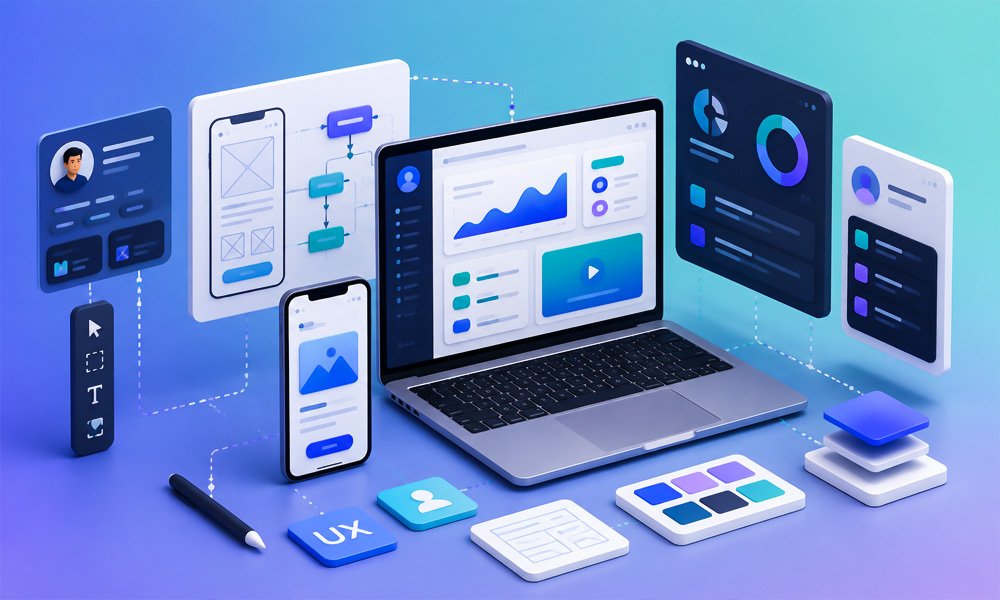
A digital product can have powerful technology behind it and still fail if users find it difficult to understand or navigate.
A website may look modern but make it difficult for visitors to find information.
A mobile application may have useful features but require too many steps to complete a simple task.
A SaaS platform may have powerful functionality but overwhelm users with complicated screens.
This is where effective UI/UX design becomes important.
HexaLearn provides UI/UX design services for businesses, enterprises, startups, educational organizations, and technology companies looking to create clearer, more intuitive, and engaging digital experiences.
Our approach combines user experience strategy, information architecture, user flows, wireframes, interface design, interactive prototypes, responsive design, design systems, usability considerations, and developer-ready design specifications.
We design for different digital products, including:
- Websites
- Web applications
- Mobile applications
- SaaS platforms
- Dashboards
- Enterprise applications
- eLearning platforms
- LMS interfaces
- Portals
- Educational products
- Business applications
- Customer-facing digital platforms
The objective is not simply to make screens attractive.
The objective is to make the product easier to understand, easier to navigate, easier to use, and aligned with the business goal.
A user-centered UX process typically begins by understanding objectives and stakeholders, followed by research, design, testing, and refinement. India's official UX Design Guidelines similarly describe UX as a systematic process focused on user needs, functional outcomes, accessibility, and iterative improvement.
Have a website, application, or digital product that needs better UX? Let's discuss your project.
What Is UI/UX Design?
UI and UX are closely connected, but they address different aspects of a digital product.
UI — User Interface focuses on the visual and interactive elements users interact with.
This includes:
- Colors
- Typography
- Buttons
- Icons
- Forms
- Navigation
- Layouts
- Components
- Cards
- Menus
- Visual hierarchy
- Responsive behavior
UX — User Experience focuses on how the entire experience works.
This includes:
- User needs
- Information architecture
- User journeys
- Navigation
- Task flows
- Interaction patterns
- Usability
- Accessibility
- Feedback
- Error handling
- Overall product experience
A visually attractive interface does not automatically provide a good user experience.
Likewise, a product can have logical workflows but still feel difficult to use if the interface is confusing.
Effective product design brings both disciplines together.
Why UI/UX Design Matters for Digital Products
Users do not evaluate a digital product only by looking at its technology.
They experience it through individual interactions.
They click a button.
They search for information.
They complete a form.
They navigate a menu.
They encounter an error.
They return to a previous screen.
They try to understand what to do next.
Each of these moments contributes to the overall user experience.
Good UI/UX design helps organizations create a more consistent and purposeful experience across these interactions.
Better Usability
Users can understand how to complete tasks with less unnecessary effort.
Clearer Navigation
Information is organized so users can find what they need.
Consistent Interfaces
Reusable design patterns make different screens feel like part of the same product.
Better Accessibility
Design can account for users with different abilities, devices, and interaction requirements.
Stronger Product Adoption
When users understand how a product works, they can start using its functionality more effectively.
Better Business Alignment
The interface and user journey can be designed around business objectives such as lead generation, subscriptions, learning, purchases, or task completion.
Our UI/UX Design Services
We provide UI/UX design support across the product lifecycle—from understanding the problem to delivering high-fidelity interfaces and developer-ready design assets.
1. UX Research and Discovery
Good design starts with understanding the problem.
Before creating screens, we can examine:
- Business objectives
- Target users
- User needs
- Existing workflows
- Product requirements
- Pain points
- Competitor experiences
- Existing analytics or feedback
- Technical constraints
The exact research approach depends on the project.
For an existing product, the focus may be on identifying usability problems.
For a new product, the focus may be on understanding users, requirements, workflows, and expected outcomes.
The research stage provides a foundation for subsequent UX decisions rather than relying entirely on assumptions.
2. Information Architecture
Information architecture determines how information and functionality are organized.
This is particularly important for websites, portals, SaaS applications, enterprise systems, and learning platforms with substantial amounts of content.
We can help define:
- Navigation structure
- Content hierarchy
- Page relationships
- Menu structure
- Categories
- Search organization
- User pathways
A well-planned information architecture helps users understand where they are and where they can go next.
3. User Flow Design
A user flow represents the steps a user takes to complete a specific objective.
For example:
Landing Page → Product Selection → Details → Checkout → Confirmation
For a SaaS platform:
Login → Dashboard → Select Project → Create Task → Assign User → Confirmation
For an eLearning platform:
Login → Course Catalog → Course → Lesson → Activity → Assessment → Completion
Mapping these journeys before designing individual screens can reveal unnecessary steps, missing states, and potential usability problems.
4. Wireframe Design Services
Wireframes provide a structural representation of a screen before detailed visual design begins.
They can help establish:
- Layout
- Content hierarchy
- Navigation
- Button placement
- Form structure
- Information priority
- User interactions
Wireframes allow stakeholders to discuss functionality and structure before spending time refining colors, typography, imagery, and visual details.
This can make the design process more efficient when requirements are still evolving.
5. Interactive Prototyping
Static screens show what an interface looks like.
An interactive prototype demonstrates how it behaves.
A prototype can allow stakeholders to experience:
- Navigation
- Button interactions
- Menus
- Forms
- Page transitions
- User flows
- Micro-interactions
- Screen relationships
Prototypes are especially useful for reviewing important user journeys before development begins.
They can help product teams identify issues earlier in the process.
6. UI Design Services
Once the UX structure is established, we develop the visual interface.
UI design can cover:
- Typography
- Color systems
- Buttons
- Forms
- Cards
- Tables
- Navigation
- Icons
- Illustrations
- Alerts
- Modals
- Tabs
- Dashboards
- Responsive components
The interface is designed to support both visual consistency and usability.
7. Responsive Web UI/UX Design
Users access websites and web applications from different screen sizes.
A responsive design therefore needs to consider how the interface behaves across:
- Desktop
- Laptop
- Tablet
- Mobile
Responsive design is more than shrinking a desktop screen.
Components may need to:
- Reorganize
- Stack
- Resize
- Collapse
- Change navigation patterns
- Adjust content priority
The design should preserve the important user journey across supported screen sizes.
8. Mobile App UI/UX Design
Mobile applications have unique interaction requirements.
The design needs to account for:
- Smaller screens
- Touch interaction
- Mobile navigation
- Screen hierarchy
- Gestures
- Input methods
- Device orientation
- Mobile accessibility
- Performance considerations
We can design mobile experiences for applications such as:
- Education
- Healthcare
- Finance
- Business
- Retail
- SaaS
- Logistics
- Professional services
- Consumer applications
The design approach can be adapted to the platform and product requirements.
9. Web Application UI/UX Design
web application often contain multiple workflows and user roles.
Examples include:
- CRM systems
- HR platforms
- LMS platforms
- Business portals
- Enterprise applications
- Admin systems
- Customer portals
- Project management tools
- Reporting platforms
A web application interface needs to balance functionality with usability.
Users should be able to understand where they are, what actions are available, and what happens after an action.
HexaLearn also develops custom software and web applications, making UI/UX design a natural part of the broader product development workflow. Its software practice covers portals, websites, web applications, Moodle, WordPress, and custom software solutions
10. SaaS Product UI/UX Design
SaaS platforms often contain many features, settings, dashboards, workflows, and user roles.
The challenge is to provide access to functionality without overwhelming the user.
SaaS UX design may cover:
- Sign-up
- Onboarding
- Dashboards
- Navigation
- Search
- User management
- Settings
- Billing
- Notifications
- Reports
- Integrations
- Data management
- Subscription workflows
We can map the experience around different user roles and priorities.
11. Dashboard UI/UX Design
Dashboards need to communicate information quickly.
A good dashboard should help users answer questions such as:
- What is happening?
- What requires attention?
- What changed?
- What should I do next?
- Where can I find more detail?
Dashboard design can include:
- Charts
- Tables
- KPI cards
- Filters
- Search
- Date ranges
- Notifications
- Status indicators
- Data visualization
- Drill-down interactions
The information hierarchy should reflect what users actually need to monitor or act upon.
12. eLearning and LMS UI/UX Design
Digital learning platforms need to support both learning and navigation.
An LMS or learning application may contain:
- Course catalogs
- Learning paths
- Lessons
- Assessments
- Progress tracking
- Certificates
- Dashboards
- User profiles
- Search
- Notifications
- Discussion features
The UI/UX should make it clear where learners are in their learning journey and what they should do next.
HexaLearn's broader digital learning practice includes eLearning, multimedia, and software solutions, providing an opportunity to connect UI/UX design with learning platforms and digital learning experiences.
13. Enterprise Application UI/UX
Enterprise applications often serve multiple departments and user roles.
Examples include:
- HR systems
- Finance applications
- Procurement platforms
- CRM systems
- Learning systems
- Operations platforms
- Reporting systems
- Internal portals
Enterprise UX needs to account for complex workflows without making the interface unnecessarily complicated.
Different users may have different permissions, tasks, and information requirements.
The design should therefore reflect role-based workflows where appropriate.
14. Website UI/UX Design
A website is often the first digital interaction a potential customer has with an organization.
Website UX can influence:
- Navigation
- Content discovery
- Lead generation
- Form completion
- Product understanding
- Mobile usability
- Conversion paths
We can design website experiences around the user's journey rather than simply arranging sections on a page.
A typical commercial website journey may be:
Search → Landing Page → Understand Service → Build Trust → Explore Proof → CTA → Enquiry
15. Mobile-First UX Design
For products where mobile users represent a significant portion of the audience, mobile behavior should be considered from the beginning.
Mobile-first UX can prioritize:
- Essential content
- Touch targets
- Simple navigation
- Shorter interactions
- Readable typography
- Clear CTAs
- Form usability
- Performance-conscious design
The goal is not simply to create a smaller version of the desktop interface.
It is to prioritize what mobile users actually need.
16. Design Systems
A design system creates reusable standards for a digital product.
It may include:
- Colors
- Typography
- Spacing
- Buttons
- Forms
- Icons
- Cards
- Tables
- Navigation
- Modals
- Alerts
- Component states
- Usage guidelines
A design system helps teams maintain consistency as the product grows.
It can also make collaboration between designers and developers more structured.
17. UI/UX Redesign Services
Sometimes the product does not need to be rebuilt.
It needs to be improved.
A UI/UX redesign can investigate:
- Outdated interfaces
- Complicated navigation
- Inconsistent components
- Poor mobile experiences
- Difficult forms
- Unclear CTAs
- Confusing user flows
- Visual inconsistency
- Accessibility issues
The redesign process can begin with an assessment of the current experience before determining what should change.
This avoids redesigning screens simply for visual reasons when the underlying UX problem has not been addressed.
18. Usability Testing and Design Validation
Design assumptions should be validated whenever appropriate.
Testing can focus on specific tasks and user journeys.
For example:
Can the user find the course?
Can the user complete registration?
Can the user locate a report?
Can the user complete checkout?
Can the user submit a form?
Testing can reveal where users hesitate, misunderstand an interaction, or take an unintended path.
The design can then be refined based on the findings.
A systematic UX process emphasizes research, user needs, testing, and refinement rather than treating design as a one-time visual exercise.
Our UI/UX Design Process
We follow a structured process that can be adapted according to the complexity of the project.
Step 1: Discovery
We begin by understanding:
- Business objectives
- Product requirements
- Target audience
- Existing product
- User roles
- Key workflows
- Technical requirements
- Project constraints
The objective is to understand the problem before designing the solution.
Step 2: UX Research
Depending on the project, research can involve:
- Existing user feedback
- Stakeholder interviews
- Product analysis
- Competitor analysis
- User journeys
- Existing analytics
- Usability observations
- Content analysis
For an existing product, we focus on identifying current experience problems.
For a new product, we focus on understanding the intended users and workflows.
Step 3: Information Architecture
We organize:
- Pages
- Features
- Navigation
- Content
- User roles
- Categories
- Workflows
This creates a structural foundation for the product.
Step 4: User Flows
We map the critical journeys.
Examples:
Sign Up → Onboarding → Dashboard
Search → Product → Cart → Checkout
Login → Course → Lesson → Assessment
Dashboard → Report → Filter → Export
The exact flows depend on the product.
Step 5: Wireframes
Wireframes establish the structure of the interface.
At this stage, we focus on:
- Layout
- Content hierarchy
- Navigation
- Functionality
- User actions
The purpose is to solve structural problems before visual styling.
Step 6: Visual UI Design
Once the structure is established, we develop high-fidelity screens.
This stage defines:
- Typography
- Colors
- Components
- Icons
- Spacing
- Visual hierarchy
- Brand application
- Responsive behavior
Step 7: Interactive Prototype
The designed screens can be connected into an interactive prototype.
This allows stakeholders to review the experience as a user would navigate it.
Step 8: Usability Review
Important journeys can be reviewed to identify:
- Confusing navigation
- Missing states
- Unclear actions
- Excessive steps
- Inconsistent interactions
- Accessibility considerations
The findings can then be used to refine the design.
Step 9: Design System and Components
Where appropriate, reusable components are organized into a design system.
This helps establish consistency across the product.
It can also provide developers with clearer implementation guidance.
Step 10: Developer Handoff
The final design package can include:
- High-fidelity screens
- Design components
- Prototypes
- Assets
- Typography
- Colors
- Spacing specifications
- Interaction states
- Responsive layouts
- Developer notes
The objective is to reduce ambiguity between design and development.
Step 11: Design QA
Design quality should also be reviewed after implementation.
The implemented product can be compared against approved designs to identify issues involving:
- Spacing
- Typography
- Layout
- Components
- Responsive behavior
- Visual hierarchy
- Interaction states
This creates a feedback loop between design and development.
UI/UX Design for Different Digital Products
Websites
Focus areas include navigation, content hierarchy, responsive layouts, conversion journeys, accessibility, and information discovery.
Mobile Applications
Focus areas include touch interactions, mobile navigation, screen hierarchy, onboarding, and task completion.
SaaS Platforms
Focus areas include onboarding, dashboards, workflows, feature discovery, settings, and user roles.
eLearning Platforms
Focus areas include course discovery, learning journeys, progress, assessments, dashboards, and learner engagement.
Enterprise Software
Focus areas include complex workflows, role-based access, data-heavy interfaces, and operational efficiency.
Customer Portals
Focus areas include account management, self-service, support, transactions, and information access.
UI/UX Design for eLearning and Learning Technology
This is an important area where UI/UX and learning experience design overlap.
An online learning platform may technically work but still create friction if learners cannot easily understand:
- Where to start
- What to learn next
- How much they have completed
- Where assessments are located
- How to access resources
- What their results mean
UI/UX design can therefore support learning outcomes by making the digital environment easier to navigate.
For example:
Login → Learning Dashboard → Course → Module → Lesson → Activity → Assessment → Results
Each stage should provide appropriate context and feedback.
For organizations developing complete learning experiences, UI/UX can be integrated with custom eLearning development rather than treated as a separate visual layer.
UI/UX Design for SaaS and Business Applications
Business applications frequently contain complex workflows.
A CRM may contain:
- Leads
- Contacts
- Opportunities
- Activities
- Reports
- Tasks
- User roles
An HR platform may contain:
- Employees
- Attendance
- Leave
- Payroll
- Performance
- Reports
A learning platform may contain:
- Learners
- Courses
- Learning paths
- Assessments
- Reports
The UX challenge is to organize this functionality so users can perform their tasks without unnecessary cognitive load.
UI/UX Design for Web and Mobile Applications
A product that operates across web and mobile should feel consistent while still respecting the characteristics of each platform.
For example, desktop interfaces may have more space for:
- Side navigation
- Tables
- Multiple panels
- Detailed filters
Mobile interfaces may prioritize:
- Bottom navigation
- Simplified menus
- Touch interactions
- Single-column layouts
- Essential actions
The underlying design language can remain consistent while individual interfaces are optimized for their respective environments.
Accessibility in UI/UX Design
Accessibility should be considered as part of the design process rather than treated only as a final technical check.
Important considerations can include:
- Color contrast
- Typography
- Keyboard navigation
- Focus states
- Form labels
- Alternative text requirements
- Touch target sizes
- Error messaging
- Screen-reader considerations
- Content structure
Accessibility is especially important for public-facing digital services and products used by diverse audiences.
Recent developments in India also demonstrate increasing attention to accessible digital interfaces; for example, PayU announced an accessibility-focused checkout in August 2026 with screen-reader support, visual accessibility modes, text resizing, and other inclusive features.
UI/UX Design for Conversion-Focused Websites
A website can have excellent visual design and still fail to generate enquiries.
Conversion-focused UX considers the journey from the first visit to the desired action.
For a service website, the journey could be:
Search Query → Landing Page → Service Understanding → Trust → Proof → CTA → Enquiry
Important elements can include:
- Clear value proposition
- Relevant headings
- Scannable content
- Trust signals
- Case studies
- Service benefits
- Clear CTAs
- Short forms
- FAQ content
- Mobile-friendly design
The goal is to reduce friction between the user's intent and the desired action.
UI/UX Design for Dashboards and Data-Heavy Products
Data-heavy applications require careful information hierarchy.
A dashboard should not present every available metric with equal visual weight.
Instead, the design should establish:
Priority → Context → Detail → Action
For example:
Priority
Show the most important KPI.
Context
Explain whether the number is improving or declining.
Detail
Allow the user to investigate supporting information.
Action
Provide a clear way to respond or continue the workflow.
This approach can make complex dashboards easier to understand.
UI/UX Redesign: When Should You Consider It?
A redesign may be appropriate when:
- Users struggle to complete tasks
- Navigation is confusing
- The interface looks outdated
- Mobile experience is poor
- Different screens use inconsistent components
- Users abandon important workflows
- New functionality has made the product difficult to navigate
- The product has grown without a consistent design system
- Branding has changed
- The current interface no longer supports business objectives
However, a redesign should not automatically mean changing everything.
A focused UX audit can identify which problems actually require redesign.
What Makes Good UI/UX Design?
Clarity
Users should understand what they are looking at and what they can do.
Consistency
Similar actions should behave in similar ways.
Simplicity
The interface should avoid unnecessary complexity.
Feedback
Users should understand the result of their actions.
Accessibility
The experience should accommodate a diverse range of users and interaction needs.
Responsiveness
The interface should work appropriately across supported screen sizes.
Visual Hierarchy
Important information and actions should receive appropriate emphasis.
Business Alignment
The design should support the organization's objectives without compromising the user's needs.
Common UI/UX Design Problems We Help Address
Confusing Navigation
Users cannot easily determine where to go next.
Poor Information Hierarchy
Everything appears equally important.
Too Many Steps
A simple task requires unnecessary actions.
Inconsistent Components
Buttons, forms, navigation, or interactions behave differently across screens.
Poor Mobile Experience
The desktop design has simply been compressed onto a smaller screen.
Weak Onboarding
New users do not understand how to start using the product.
Unclear CTAs
Users cannot easily identify the next action.
Overloaded Dashboards
Too much information competes for attention.
Inconsistent Design Language
Different parts of the product look as though they were created independently.
Missing Interaction States
The design does not account for loading, empty, error, success, disabled, or other states.
Why Choose HexaLearn for UI/UX Design Services?
HexaLearn combines design, software development, eLearning, and multimedia capabilities, allowing UI/UX work to be considered within the broader digital product ecosystem. HexaLearn describes itself as an ISO-certified provider of eLearning and software solutions and lists software development, portals, websites, web application , Moodle, and related digital solutions among its capabilities.
Business-Focused Design
We consider the business objective alongside the user experience.
User-Centered Approach
The design process starts by understanding users, tasks, requirements, and workflows.
Web and Mobile Expertise
Design can be created for responsive websites, web applications, mobile applications, and other digital platforms.
Learning Product Experience
Our eLearning background allows us to understand the unique requirements of LMS platforms, online courses, learner dashboards, and digital learning environments.
Software Development Understanding
Because UI/UX sits close to development, understanding technical implementation can help create more practical design specifications.
Scalable Design
For larger products, reusable components and design systems can support future growth.
End-to-End Collaboration
UI/UX can be integrated with software development, eLearning development, multimedia, and other digital services where required.
UI/UX Design Deliverables
Depending on the project scope, deliverables may include:
- User research findings
- User personas
- User journeys
- Information architecture
- Sitemap
- User flows
- Wireframes
- High-fidelity UI designs
- Responsive screen designs
- Mobile app screens
- Interactive prototypes
- Design systems
- Component libraries
- Icons and visual assets
- Interaction specifications
- Developer handoff documentation
- Design QA support
The exact deliverables depend on project requirements.
What Do You Need to Start a UI/UX Project?
You do not need to have everything finalized before contacting us.
Useful project information includes:
- Product or website description
- Target audience
- Business objective
- Existing website or application
- User roles
- Key workflows
- Existing brand guidelines
- Competitor references
- Functional requirements
- Technical requirements
- Existing user feedback
- Analytics, if available
- Expected timeline
For a redesign project, access to the existing product and information about known usability issues can also be useful.
Frequently Asked Questions About UI/UX Design Services
What are UI/UX design services?
UI/UX design services help organizations plan and design the visual interface and overall user experience of digital products such as websites, mobile apps, SaaS platforms, web applications, dashboards, portals, and learning platforms.
What is the difference between UI and UX?
UI focuses primarily on the interface users interact with, including visual design, components, typography, colors, buttons, layouts, and interaction states.
UX focuses on the broader experience, including user needs, workflows, navigation, information architecture, usability, and task completion.
Both work together to create an effective digital product.
Do you provide UI/UX design for websites?
Yes. Website UI/UX design can include information architecture, user flows, wireframes, responsive layouts, high-fidelity UI, prototypes, and developer handoff.
Do you design mobile applications?
Yes. Mobile UI/UX design can be developed for different types of applications, including business, education, healthcare, SaaS, retail, finance, and other digital products.
Do you provide UI/UX design for SaaS products?
Yes. SaaS design can cover onboarding, dashboards, navigation, workflows, settings, user roles, feature discovery, and other product experiences.
Can you redesign an existing website or application?
Yes. A UI/UX redesign can begin with an assessment of the existing experience to identify usability, navigation, visual, responsive, and consistency issues.
Do you provide UX research?
UX research can be incorporated into the project depending on the scope and available user information.
Do you create wireframes?
Yes. Wireframes can be developed to establish layout, information hierarchy, navigation, and functionality before high-fidelity visual design.
Do you create clickable prototypes?
Yes. Interactive prototypes can be created to demonstrate important user journeys and interactions before development.
What tools do you use for UI/UX design?
The tools used can vary depending on the project, workflow, collaboration requirements, and client environment. Design files and prototypes can be prepared according to the agreed project workflow.
Do you provide design systems?
Yes. Design systems can be developed for products that require reusable components and consistent design standards across multiple screens or applications.
Can you design responsive websites?
Yes. Responsive UI/UX can be designed for supported desktop, tablet, and mobile screen sizes.
Do you provide dashboard design?
Yes. Dashboard design can cover KPI layouts, charts, tables, filters, navigation, reporting, data hierarchy, and interaction patterns.
Can you design LMS and eLearning interfaces?
Yes. UI/UX design can be developed for LMS platforms, learner dashboards, course catalogs, online learning platforms, and other digital learning products.
Can UI/UX design be integrated with software development?
Yes. UI/UX can be developed alongside software requirements and development to create a more connected design-to-development workflow.
Do you provide developer handoff?
Yes. Depending on the project, the design package can include screens, components, assets, specifications, responsive layouts, interaction details, and other information required by developers.
How long does a UI/UX design project take?
The timeline depends on the number of screens, user roles, workflows, research requirements, product complexity, revisions, and deliverables. A small website redesign and a complex enterprise application should not be expected to require the same amount of design time.
How much do UI/UX design services cost in India?
Pricing depends on project scope, number of screens, UX research requirements, complexity, responsive requirements, prototyping, design systems, and other deliverables. A detailed estimate should be prepared after understanding the product requirements.
Can you improve an existing poor user experience without redesigning the entire product?
Yes. A UX assessment can identify high-impact problems and prioritize improvements. In some situations, targeted improvements may be more appropriate than a complete redesign.
Create Digital Experiences That Work for Real Users
Great UI/UX is not about adding decoration to a digital product.
It is about making the product easier to understand and easier to use.
A successful experience helps users know:
Where am I?
What can I do?
What should I do next?
What happened after I took an action?
How can I accomplish my goal?
At HexaLearn, we approach UI/UX design with the understanding that the interface needs to work alongside the product's business objectives, technology, content, and users.
Whether you are building a website, mobile application, SaaS platform, web application , dashboard, enterprise portal, LMS, eLearning platform, or customer-facing digital product, we can help translate requirements into structured user experiences and polished interfaces.
Our typical design journey is:
Discovery → Research → Information Architecture → User Flows → Wireframes → UI Design → Prototype → Validation → Design System → Developer Handoff → Design QA
The result is a design foundation that your development team can use to build a more consistent and user-focused digital product.
Ready to Improve Your Digital Product?
Schedule a demo with our eLearning experts.