

Explainer Video Production Services for Products, Training & Business Communication
Some products are difficult to explain.
Some services require too much background information.
Some business processes are too complicated to communicate through a presentation or a page of text.
And some training topics simply need a more visual approach.
That is where a well-produced explainer video can make a difference.
HexaLearn provides explainer video production services for businesses, enterprises, educational organizations, technology companies, training teams, and marketing departments that need to communicate ideas clearly through visual storytelling.
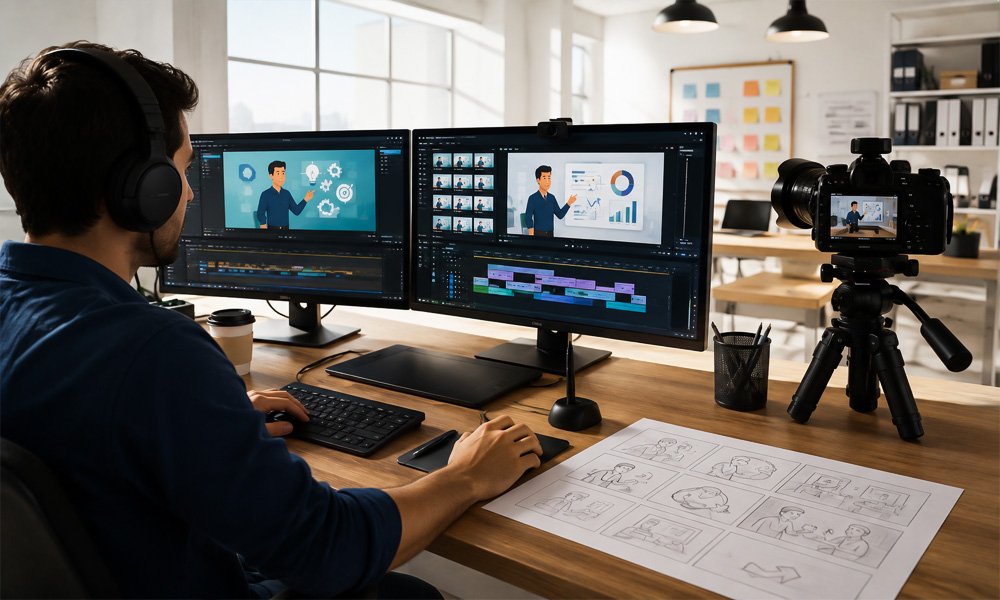
Our explainer videos can combine scriptwriting, storyboarding, illustration, 2D animation, 3D animation, motion graphics, character animation, voiceover, music, sound effects, and video editing to create a complete communication experience.
Whether you need to explain a SaaS platform, introduce a product, demonstrate a process, train employees, educate customers, or communicate a complex concept, we develop the video around your audience and objective.
The goal is not simply to make information look attractive.
The goal is to help viewers understand what the subject is, why it matters, how it works, and what they should do next.
Have a concept that is difficult to explain? Let's turn it into a visual story.
What Is an Explainer Video?
An explainer video is a short, focused visual communication piece designed to explain a product, service, process, concept, idea, or problem.
Unlike a conventional promotional video that may focus primarily on brand awareness, an explainer video typically has a clear educational or explanatory purpose.
It answers questions such as:
- What is this?
- What problem does it solve?
- How does it work?
- Who is it for?
- What are its benefits?
- Why should the audience care?
- What should the viewer do next?
Explainer videos can use different production styles depending on the subject.
For example:
- A 2D animated explainer can simplify a business concept.
- A 3D explainer can demonstrate a physical product.
- A motion graphics video can communicate statistics or processes.
- A character animation can demonstrate a workplace scenario.
- A screen-based explainer can demonstrate software.
- A hybrid video can combine animation, live footage, screen recordings, and graphics.
The format should be selected according to the communication problem—not simply according to what looks visually impressive.
Why Use Explainer Videos?
People are exposed to large amounts of information every day.
A product page may contain technical specifications.
A training document may contain dozens of pages.
A software platform may have numerous features.
A new process may require several steps to understand.
An explainer video provides another way to organize that information.
By combining visuals, narration, movement, examples, and sound, information can be presented as a structured story.
A strong explainer video can help:
Simplify Complex Concepts
Technical or unfamiliar information can be broken down into understandable visual sequences.
Demonstrate How Something Works
Processes, products, software workflows, and systems can be visually demonstrated.
Support Product Marketing
Potential customers can quickly understand what a product does and how it solves a problem.
Improve Customer Education
Customers can learn how to use a product or service through visual demonstrations.
Support Employee Training
Training teams can use explainers to introduce concepts, procedures, products, and policies.
Strengthen Presentations
An explainer can make a presentation more engaging and provide a consistent way to communicate a complex message.
Create Reusable Content
A well-produced explainer can be used across websites, presentations, learning platforms, sales communication, and digital marketing campaigns.
Our Explainer Video Production Services
We develop different types of explainer videos depending on your audience, subject, and communication objective.
1. Animated Explainer Videos
Animated explainers use illustrations, characters, icons, typography, diagrams, environments, and motion to tell a story.
They are particularly useful when the subject cannot easily be captured through live-action footage.
Examples include:
- Software concepts
- Business processes
- Financial concepts
- Healthcare topics
- Educational subjects
- Technical systems
- Corporate initiatives
- Digital products
Animation also allows creative control over the visual environment.
Objects can appear, disappear, move, transform, or interact in ways that may be difficult to achieve with conventional video.
For projects requiring a broader range of animated visual content, explore our 2D animation services in India.
2. 2D Explainer Videos
2D animation is one of the most versatile formats for explainer videos.
It can combine:
- Illustrations
- Characters
- Icons
- Typography
- Diagrams
- Backgrounds
- Infographics
- Transitions
- Motion graphics
2D explainers are often effective for business services, SaaS products, education, corporate training, awareness campaigns, and digital marketing.
The visual style can range from simple and clean to detailed and character-driven.
The choice depends on the message and audience.
3. 3D Explainer Videos
Some products and processes require depth and realistic visualization.
A 3D explainer can demonstrate:
- Product structure
- Internal components
- Mechanical movement
- Product operation
- Technical systems
- Manufacturing processes
- Medical devices
- Engineering concepts
3D is particularly valuable when the viewer needs to understand the physical relationship between objects.
For example, a conventional illustration may show a machine.
A 3D explainer can rotate the machine, isolate its components, reveal its internal mechanism, and demonstrate how the parts work together.
For projects requiring this type of visualization, explore our 3D animation services in India.
4. Motion Graphics Explainer Videos
Motion graphics combine graphic design with movement.
They are particularly effective for information that involves:
- Statistics
- Numbers
- Processes
- Timelines
- Charts
- Data
- Product features
- Business concepts
- Corporate messages
For example, a company explaining the results of a new business initiative could use animated statistics and graphics instead of presenting the information as a series of static slides.
Motion graphics can also be incorporated into animated and live-action explainers.
5. Character-Based Explainer Videos
Characters make it possible to present situations through people and interactions.
A character-based explainer may show:
Problem → Situation → Challenge → Solution → Outcome
This format is useful for:
- Employee training
- Customer service
- Workplace scenarios
- Product use cases
- Educational content
- Behavioral training
- Marketing stories
For example, rather than explaining a customer-service policy using bullet points, a video can show a customer interacting with an employee and demonstrate the appropriate response.
6. SaaS and Software Explainer Videos
Software products can be difficult to explain because the value is often connected to a workflow rather than a physical object.
A SaaS explainer can demonstrate:
- User problems
- Platform features
- Workflow
- Dashboard
- User journey
- Integrations
- Automation
- Benefits
- Expected results
Screen recordings can be combined with animation and motion graphics to create a more complete product story.
A typical SaaS explainer structure could be:
Customer Problem → Existing Challenge → Software Solution → How It Works → Benefits → Call to Action
This approach can be adapted for websites, sales presentations, product launches, onboarding, and customer education.
7. Product Explainer Videos
A product explainer should help potential customers understand the product quickly.
We can create videos explaining:
- Product features
- Product benefits
- Use cases
- Product workflows
- Customer problems
- Product operation
- Key differentiators
For physical products, 3D visualization can show components and operation.
For digital products, screen recordings and motion graphics may be more appropriate.
For consumer products, character-driven storytelling may create a stronger connection with the audience.
The production style should therefore be selected based on the product and customer journey.
8. Corporate Explainer Videos
Organizations frequently need to explain internal initiatives, processes, services, and changes.
Corporate explainer videos can support:
- New policies
- Business processes
- Organizational changes
- Technology implementation
- Employee communication
- Corporate initiatives
- Product information
- Company services
- Customer communication
The content can be created using corporate branding, professional narration, motion graphics, animation, and appropriate visual storytelling.
9. Training Explainer Videos
Explainer videos are particularly useful within corporate learning.
They can introduce a subject before a learner begins an interactive activity or serve as a standalone training resource.
Applications include:
- Employee onboarding
- Compliance
- Product training
- Process training
- Safety
- Customer service
- Cybersecurity awareness
- Workplace policies
- Soft skills
- Technical training
An animated training explainer can demonstrate a scenario, explain a concept, or introduce a process.
For larger learning programs, explainer videos can be integrated with custom eLearning development and other digital learning components.
10. Educational Explainer Videos
Educational subjects are not always easy to explain through static content.
Animation can visualize:
- Scientific concepts
- Historical events
- Technical processes
- Mathematical concepts
- Biological systems
- Engineering principles
- Business concepts
The production approach should be matched to the learner's age, knowledge level, and learning objective.
For professional learners, the video may require technical diagrams and detailed narration.
For younger audiences, characters, storytelling, and visual metaphors may be more appropriate.
11. Technical Explainer Videos
Technical products and processes often involve terminology that is difficult for non-specialists to understand.
Technical explainer videos can bridge this gap.
They can demonstrate:
- Mechanical processes
- Software architecture
- Industrial systems
- Engineering concepts
- Equipment
- Manufacturing
- Technical workflows
- Product operation
A technical explainer can also be created for different audiences.
The same underlying technology may require one version for engineers and another for customers.
12. Medical and Healthcare Explainer Videos
Healthcare information often requires careful visual explanation.
Explainer videos can be used for:
- Medical education
- Patient education
- Medical devices
- Healthcare services
- Pharmaceutical communication
- Professional training
- Awareness programs
Animation can visualize anatomical structures, processes, devices, or concepts that cannot easily be captured using live footage.
For technical or medical projects, source information and required subject-matter review should be established before production.
Explainer Video Production Process
A successful explainer video starts long before animation begins.
At HexaLearn, we follow a structured production process designed to connect the message, visuals, narration, and audience.
Step 1: Understand the Objective
We begin by identifying the purpose of the video.
Is it designed to:
- Generate leads?
- Explain a product?
- Train employees?
- Educate customers?
- Introduce a service?
- Demonstrate a process?
- Support sales?
- Improve onboarding?
- Explain a technical concept?
The answer influences every subsequent production decision.
Step 2: Understand the Audience
A video for engineers should not necessarily look or sound like a video for new employees.
We consider:
- Audience knowledge
- Industry
- Role
- Expectations
- Learning needs
- Technical familiarity
- Language
- Viewing environment
This helps determine how much context the video needs.
Step 3: Develop the Concept
Once the objective and audience are clear, the creative direction is developed.
We determine:
- Story approach
- Visual style
- Tone
- Animation format
- Characters
- Environments
- Graphics
- Narration approach
The concept should make the information easier to understand.
Step 4: Scriptwriting
The script is the backbone of the explainer video.
A good script should avoid trying to explain everything.
Instead, it should prioritize the information that matters most to the audience.
Depending on the project, the structure may include:
Hook → Problem → Explanation → Solution → Benefits → CTA
For training:
Context → Objective → Scenario → Explanation → Correct Approach → Reinforcement
For product videos:
Problem → Product → Features → Benefits → Use Case → CTA
The final structure depends on the project.
Step 5: Storyboarding
Once the script is approved, the visual story is planned.
The storyboard can define:
- Scenes
- Characters
- Backgrounds
- Camera direction
- On-screen text
- Narration
- Animation
- Transitions
Storyboarding is important because it allows stakeholders to review the visual direction before full production begins.
HexaLearn also provides eLearning storyboarding services for projects requiring structured visual planning.
Step 6: Visual Design
The visual design establishes the look of the video.
Depending on the project, this can include:
- Characters
- Illustrations
- Icons
- Product models
- Backgrounds
- Infographics
- Typography
- Brand elements
Existing brand guidelines can be incorporated where required.
Step 7: Animation and Video Production
After visual approval, the production stage begins.
Animation can include:
- Character movement
- Object animation
- Motion graphics
- Camera movement
- Typography
- Scene transitions
- Product visualization
- Screen recordings
The animation is synchronized with the script and narration.
Step 8: Voiceover
Voiceover provides the narrative layer.
Depending on the project, we can plan for:
- Professional narration
- Corporate voice
- Educational narration
- Character voices
- Multiple languages
- Different accents
- Voiceover synchronization
The voice should match the audience and communication objective.
Step 9: Music and Sound Design
Audio can influence the overall tone of a video.
Depending on the project, the production can incorporate:
- Background music
- Sound effects
- Ambient audio
- Voiceover
- Audio transitions
The objective is to support the story without distracting from the message.
Step 10: Review and Quality Assurance
The completed video is reviewed for:
- Script accuracy
- Visual consistency
- Animation quality
- Audio synchronization
- Voiceover
- Branding
- On-screen text
- Transitions
- Technical specifications
Stakeholder feedback is incorporated through the agreed review process.
Step 11: Final Delivery
The completed explainer can be prepared for different platforms.
For example:
- Website
- Landing page
- YouTube
- Sales presentation
- LMS
- eLearning course
- Internal communication
- Customer onboarding
- Product page
Different platforms may require different resolutions, aspect ratios, captions, or versions.
Explainer Video Styles We Can Develop
The style should always support the subject.
Minimalist Explainer
Clean graphics, simple illustrations, typography, and focused narration.
Useful for corporate communication and business concepts.
Character Animation
Uses people and situations to tell a story.
Useful for training, education, customer scenarios, and behavioral communication.
Motion Graphics
Uses animated graphics, icons, typography, charts, and diagrams.
Useful for data-driven or business-oriented subjects.
3D Explainer
Uses three-dimensional products, environments, and technical visualization.
Useful for engineering, manufacturing, medical devices, and physical products.
Whiteboard Explainer
Uses a hand-drawn visual style to progressively explain a concept.
Useful for education and straightforward explanations.
Screen-Based Explainer
Uses software interfaces and screen recordings.
Useful for SaaS products, applications, and digital platforms.
Hybrid Explainer
Combines animation, live-action, screen recordings, graphics, and other multimedia.
Useful when a project requires multiple visual formats.
Choosing the Right Explainer Video Style
There is no single format that is ideal for every project.
Choose 2D animation when:
- The concept is abstract
- Characters are important
- Storytelling is central
- You need illustrated visuals
- The subject involves business or education
Choose 3D animation when:
- Product structure matters
- Physical components need to be shown
- Depth and perspective are important
- Internal mechanisms need visualization
- Technical systems need demonstration
Choose motion graphics when:
- Data is important
- Statistics need visualization
- Processes need to be shown
- Corporate communication is the focus
Choose screen recording when:
- The product is software
- User workflows matter
- The interface itself needs demonstration
Choose a hybrid approach when:
- Several visual formats are needed
- Live footage adds value
- Animation needs to complement real-world content
The production team should select the approach based on the communication requirement.
Explainer Videos for Different Business Objectives
Marketing
Use an explainer to introduce a product, communicate benefits, and move potential customers toward a call to action.
Sales
Use an explainer to demonstrate the product consistently across sales meetings and presentations.
Training
Use an explainer to introduce concepts, processes, procedures, or scenarios.
Customer Onboarding
Use visual communication to help customers understand how to use a product or service.
Internal Communication
Explain company initiatives, processes, changes, or policies.
Education
Break complex concepts into visual learning experiences.
Product Launch
Introduce a new product before or during its market launch.
Explainer Videos for SaaS Companies
SaaS products often have a communication challenge.
The customer cannot necessarily see the product physically.
Instead, they need to understand a digital workflow.
An effective SaaS explainer can visually demonstrate:
Customer Problem
↓
Current Challenge
↓
SaaS Solution
↓
How the Platform Works
↓
Key Features
↓
Customer Benefits
↓
Call to Action
Animation can be combined with screen recordings to show both the concept and actual product interface.
This can make an explainer particularly useful on product pages and landing pages.
Explainer Videos for eLearning
Explainer videos can serve as an important component of digital learning.
A video may:
- Introduce a topic
- Establish a scenario
- Demonstrate a process
- Explain a difficult concept
- Provide an example
- Reinforce a learning objective
- Prepare learners for an assessment
It can then be followed by an interaction or assessment.
For example:
Explainer → Scenario → Interaction → Assessment → Feedback
This transforms the video from a standalone asset into part of a learning experience.
Explainer Videos for Corporate Training
Corporate training often contains information employees need to understand but may not find inherently engaging.
Animation can provide a more visual format for:
- Policies
- Processes
- Compliance
- Safety
- Product knowledge
- Customer service
- Onboarding
- Workplace behavior
Characters can demonstrate realistic scenarios.
Motion graphics can explain policies.
Process animation can demonstrate workflows.
3D can demonstrate equipment.
This flexibility makes explainer videos useful across different types of corporate learning.
Industries We Serve
Explainer videos can be adapted to a wide range of industries.
Technology and SaaS
Product demonstrations, software workflows, platform features, and customer onboarding.
Education
Lessons, educational concepts, tutorials, and learning content.
Healthcare
Patient education, medical devices, healthcare services, and professional education.
Financial Services
Financial concepts, product explanations, customer education, and compliance communication.
Manufacturing
Products, equipment, production processes, safety, and technical training.
Automotive
Vehicle features, components, technical concepts, and product communication.
Retail and Consumer Products
Product features, customer education, marketing, and promotional communication.
Logistics
Operational processes, workflows, training, and customer communication.
Professional Services
Business services, processes, solutions, and corporate communication.
Engineering
Technical concepts, systems, equipment, and product visualization.
What Makes an Effective Explainer Video?
A visually impressive video is not necessarily an effective explainer.
The strongest projects typically have several things in common.
A Clear Objective
The viewer should know what the video is trying to communicate.
A Focused Message
Trying to explain everything can make the video difficult to follow.
Audience-Centered Storytelling
The video should address what the viewer needs to know.
Appropriate Visuals
Visuals should clarify the message rather than simply decorate the screen.
Strong Narration
The voiceover should guide the viewer through the story.
Good Pacing
The information should move quickly enough to maintain attention but slowly enough to be understood.
Clear Call to Action
Marketing videos should tell the viewer what to do next.
Common Explainer Video Mistakes
Trying to Say Too Much
An explainer should focus on the most important information.
Starting With the Company Instead of the Audience
Viewers generally care about their problem before they care about the company.
Using Visuals That Do Not Support the Narration
Every visual should have a reason to be there.
Overusing Technical Language
Complex terminology should be simplified where the audience does not require it.
Weak Story Structure
Information should have a logical sequence.
Ignoring the Call to Action
If the video is designed for marketing, the next step should be clear.
Choosing a Style Before Understanding the Message
The visual format should serve the communication objective.
Why Choose HexaLearn for Explainer Video Production?
HexaLearn approaches explainer video production as a combination of storytelling, visual design, animation, multimedia production, and communication strategy.
Custom Production
We create videos around your content, audience, brand, and objective rather than relying entirely on generic templates.
Multiple Visual Formats
Projects can use 2D animation, 3D animation, motion graphics, character animation, screen-based content, or combinations of formats.
Learning Experience
Our experience with eLearning helps us understand how video can support training and educational objectives.
Structured Production
The workflow moves through concept, script, storyboard, visual design, production, audio, review, and delivery.
Corporate Applications
Explainer videos can support marketing, sales, training, onboarding, customer education, and internal communication.
Multimedia Capabilities
Animation can be combined with graphics, audio, video, interactive content, and eLearning.
What Do You Need to Start an Explainer Video Project?
You do not need a complete production package before contacting us.
It is helpful to provide:
- Project objective
- Product or service information
- Target audience
- Existing content
- Approximate duration
- Preferred style, if any
- Brand guidelines
- Reference videos
- Script, if available
- Voiceover requirements
- Intended platform
- Expected timeline
If you do not have a script or storyboard, those can be discussed during the initial project stage.
Frequently Asked Questions
What is an explainer video?
An explainer video is a focused visual communication video designed to explain a product, service, process, concept, or idea to a specific audience.
What does explainer video production include?
Depending on the project, production can include concept development, scriptwriting, storyboarding, visual design, animation, 3D modeling, motion graphics, voiceover, music, sound effects, editing, review, and final delivery.
How much does explainer video production cost in India?
The cost depends on the production style, duration, script complexity, number of scenes, character requirements, illustration requirements, animation complexity, voiceover, audio, revisions, and timeline.
A short motion graphics video and a detailed 3D product explainer can have significantly different production requirements.
How long should an explainer video be?
There is no universal ideal duration.
The appropriate length depends on how much information the audience needs to understand.
The priority should be to communicate the message clearly rather than reaching an arbitrary video length.
Can you create animated explainer videos?
Yes. Animated explainers can be developed using 2D animation, character animation, motion graphics, whiteboard-style visuals, and other approaches.
Can you create 3D explainer videos?
Yes. 3D explainers can be developed for products, technical systems, machinery, medical devices, engineering concepts, and physical processes.
Can you create explainer videos for SaaS products?
Yes. SaaS explainers can combine screen recordings, interface demonstrations, animation, motion graphics, narration, and product storytelling.
Can explainer videos be used for training?
Yes. Explainer videos can support employee onboarding, compliance, safety, product training, process training, technical training, and other corporate learning requirements.
Can an explainer video be used in an eLearning course?
Yes. Explainer videos can be incorporated into custom eLearning courses, microlearning, scenario-based learning, mobile learning, and other digital learning formats.
Do you provide scriptwriting?
Script development can be included as part of the production process depending on the project requirements.
Do you provide storyboarding?
Yes. Storyboarding can be incorporated into the production workflow to establish the visual sequence before animation begins.
Can you use our existing content?
Yes. Existing presentations, documents, training material, diagrams, product information, scripts, and other source content can be evaluated as inputs for the explainer.
Can the video follow our brand guidelines?
Yes. Visual design can incorporate your brand's colors, typography, logo, illustrations, and other relevant guidelines.
Can you create multiple language versions?
Explainer videos can be adapted for different languages depending on the project's narration, text, visual, and localization requirements.
Can the video include voiceover?
Yes. Voiceover can be incorporated into the production along with music and sound effects where appropriate.
Can animation and live-action be combined?
Yes. Hybrid explainer videos can combine live-action footage, animation, screen recordings, graphics, and other visual elements.
Can you create explainer videos for internal communication?
Yes. Explainer videos can communicate corporate initiatives, policies, processes, technology changes, employee information, and other internal messages.
Turn Complex Ideas Into Clear Visual Stories
Your audience should not have to work hard to understand your product, service, process, or concept.
A well-designed explainer video can bring the right combination of story, visuals, narration, animation, and information together in one focused experience.
Whether you need a SaaS product explainer, corporate communication video, animated training video, educational explainer, product demonstration, technical explanation, medical visualization, or marketing video, HexaLearn can help develop the production around your objective.
Our process brings together:
Concept → Script → Storyboard → Visual Design → Animation → Voiceover → Audio → Review → Delivery
The result is a video designed not just to look good, but to communicate something meaningful to the audience.
Ready to Explain Your Product, Service or Idea?
Schedule a demo with our eLearning experts.