

Animated eLearning Videos for Engaging Corporate & Digital Learning
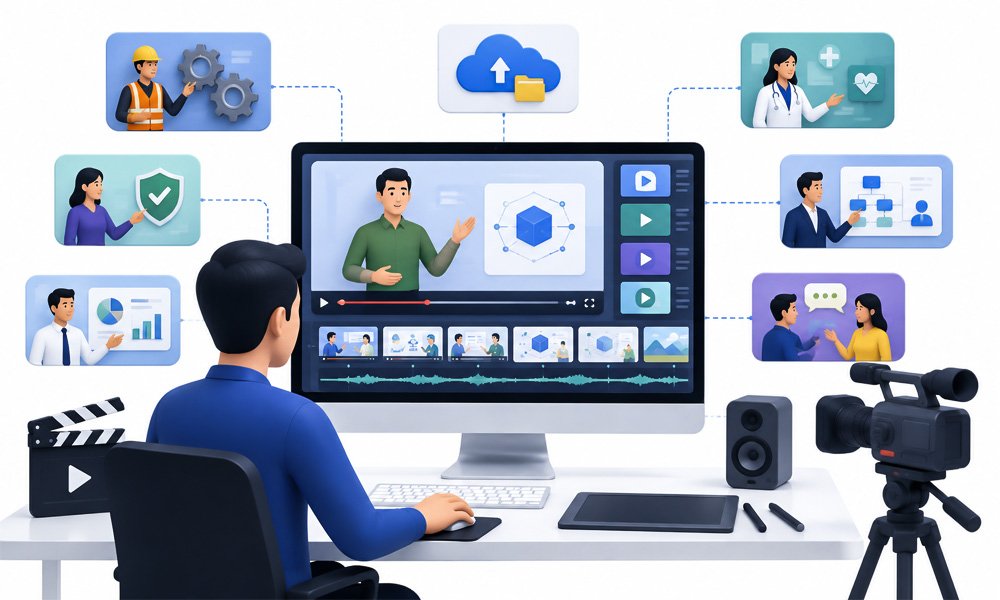
Complex subjects are not always easy to teach through text, slides, or traditional presentations.
Employees may need to understand a complicated process. New hires may need to learn company policies. Customers may need to understand a product. Students may need a visual explanation of a difficult concept. Technical teams may need to understand a process that is difficult to demonstrate in a classroom.
Animated eLearning videos can turn these concepts into structured visual learning experiences.
HexaLearn creates custom animated eLearning videos for organizations that want to explain, teach, demonstrate, and reinforce knowledge through animation.
Our approach combines instructional design, storytelling, animation, voiceover, visual design, motion graphics, and eLearning expertise to create videos that are designed around learning objectives rather than animation alone.
Animated learning content can be used for:
- Corporate training
- Employee onboarding
- Compliance training
- Safety training
- Product training
- Process training
- Technical training
- Soft-skills training
- Educational content
- Customer education
- Healthcare education
- Software training
- Microlearning
- Learning campaigns
HexaLearn already provides custom eLearning development and showcases learning demos covering areas such as artificial intelligence, virtual reality, business development, diversity and inclusion, healthcare, logistics, fire and safety, and professional development.
Need animated training content for your organization?
What Are Animated eLearning Videos?
Animated eLearning videos are educational or training videos that use animation, graphics, characters, illustrations, diagrams, motion graphics, narration, and storytelling to communicate a learning concept.
Unlike a conventional marketing animation, an animated eLearning video is developed around a learning objective.
For example:
Learning Objective: Employees should understand how to identify a phishing email.
The video might introduce a realistic workplace scenario, show an employee receiving an email, highlight suspicious elements, explain the warning signs, and conclude with the correct response.
Another example:
Learning Objective: Employees should understand a new operational process.
Animation can visually demonstrate each stage of the process, show decision points, identify common mistakes, and reinforce the correct workflow.
The animation therefore becomes a learning tool, not merely a visual effect.
Animation is already used across corporate training contexts including orientation, safety, and technical training.
Why Use Animation in eLearning?
Some concepts are difficult to explain with static slides.
Animation can make abstract or invisible concepts easier to visualize.
It can show:
- A process
- A sequence
- A system
- A conversation
- A workplace scenario
- A technical mechanism
- A customer interaction
- A safety incident
- A software workflow
- A scientific concept
For example, imagine explaining how a machine operates internally.
A photograph may show the outside of the machine.
A video may show the machine operating.
But animation can show what happens inside the machine.
Similarly, a character-based animation can demonstrate a difficult conversation between an employee and customer without requiring an actual filming setup.
The value comes from using the right visual treatment for the learning objective.
Our Animated eLearning Video Services
HexaLearn develops different types of animated learning videos based on the subject, audience, learning objectives, and desired visual style.
1. Custom Animated eLearning Videos
Custom animation is designed specifically around your learning content.
We can develop:
- Characters
- Environments
- Objects
- Infographics
- Diagrams
- Processes
- Scenarios
- UI screens
- Product visuals
- Technical illustrations
The visual language can be aligned with your brand and learning environment.
Rather than forcing your subject into a generic template, the animation can be developed around the actual content.
2. Animated Corporate Training Videos
Corporate training is one of the strongest applications for animated eLearning videos.
Organizations can use animated training content for:
- New employee orientation
- Compliance
- Workplace safety
- Cybersecurity
- Leadership
- Communication
- Customer service
- Product knowledge
- Sales training
- Process training
- Diversity and inclusion
- Professional development
Animation can make scenario-based training easier to create and update.
A character can demonstrate a workplace situation without requiring actors, filming locations, or repeated production sessions.
3. Animated Onboarding Videos
New employees need to absorb a significant amount of information when they join an organization.
Instead of presenting everything through documents or long presentations, onboarding information can be converted into short animated videos.
Topics can include:
- Company introduction
- Organizational culture
- Mission and values
- Workplace policies
- Code of conduct
- IT security
- Communication practices
- Employee responsibilities
- Workplace safety
- Tools and systems
- Department introductions
An onboarding program can be divided into multiple short videos rather than creating one long presentation.
4. Animated Compliance Training Videos
Compliance topics can sometimes feel repetitive or difficult to engage with.
Animation can turn rules and policies into situations that employees can recognize.
For example:
Situation → Employee Decision → Consequence → Correct Approach
This structure can be applied to:
- Code of conduct
- Data privacy
- Information security
- Anti-harassment
- Workplace behavior
- Regulatory requirements
- Ethics
- Risk management
The purpose is not to make compliance training entertaining for its own sake.
The purpose is to help learners understand what the rule means and how it applies to real situations.
5. Animated Safety Training Videos
Safety training can benefit from visual demonstration.
Animated videos can illustrate situations that may be difficult, expensive, or unsafe to film.
Examples include:
- Fire safety
- Industrial safety
- Workplace hazards
- Equipment handling
- Emergency procedures
- Personal protective equipment
- Safe operating procedures
- Accident prevention
Animation can recreate a hazardous situation and then show the correct response without exposing employees or production teams to actual risk.
6. Animated Product Training Videos
Product knowledge often involves features, workflows, benefits, and use cases.
Animation can explain:
- Product components
- Product functionality
- Product features
- User workflows
- Customer use cases
- Product benefits
- Operating procedures
For software products, animation can be combined with screen recordings.
For physical products, 2D or 3D visualization can demonstrate components and functionality.
For highly technical products, HexaLearn's 3D animation services in India can be used when three-dimensional visualization is more appropriate.
7. Animated Process Training Videos
Processes are often easier to understand when learners can see the sequence.
A process video might follow:
Step 1 → Step 2 → Decision → Step 3 → Verification → Completion
Examples include:
- Manufacturing processes
- Customer onboarding
- Procurement
- Quality control
- Software workflows
- Healthcare procedures
- Financial processes
- Logistics operations
Animation can highlight what happens at each stage and visually distinguish important decision points.
8. Character-Based eLearning Videos
Characters can make training scenarios more relatable.
For example, a customer service video can feature:
Employee + Customer
The scenario can show:
1. Customer raises a concern.
2. Employee responds incorrectly.
3. Customer becomes frustrated.
4. The video explains the issue.
5. The scenario is replayed.
6. Employee uses the correct approach.
This format is particularly useful for behavioral training.
Character animation can be used for:
- Soft skills
- Leadership
- Communication
- Customer service
- Workplace behavior
- Sales
- Diversity and inclusion
- Conflict management
9. Scenario-Based Learning Videos
Scenario-based animation puts learners inside a situation.
Instead of saying:
"Employees should protect confidential information."
The video can show an employee receiving a request for confidential information.
The learner can then consider:
What should the employee do?
The scenario can continue to explain the appropriate response.
This approach connects knowledge to practical situations.
10. Animated Explainer Videos for Learning
Some learning content is primarily about explaining a concept.
Examples include:
- What is artificial intelligence?
- How does a financial product work?
- What is cloud computing?
- How does a manufacturing process operate?
- How does a healthcare procedure work?
An animated explainer can provide a structured visual explanation.
For projects where the primary commercial requirement is a standalone explainer video rather than learning content, HexaLearn also provides explainer video production.
The distinction is important:
Animated eLearning video: designed around learning objectives.
Explainer video: primarily designed to explain a product, service, concept, or process.
11. Animated Microlearning Videos
Not every learning objective requires a 30-minute course.
A topic can often be divided into focused learning units.
For example:
Module 1
What is phishing?
Module 2
How to identify suspicious emails.
Module 3
What to do when you receive one.
Module 4
Common phishing mistakes.
Each video can focus on one learning objective.
This makes animated videos suitable for microlearning programs where content needs to be concise and focused.
12. Animated Educational Videos
Animated eLearning content is not limited to corporate training.
It can also support:
- Schools
- Universities
- EdTech companies
- Professional education
- Certification programs
- Healthcare education
- Technical education
- Vocational training
Complex academic concepts can be translated into visual stories, diagrams, characters, simulations, and animated sequences.
13. Animated Technical Training Videos
Technical subjects often contain terminology and processes that are difficult to visualize.
Animation can explain:
- Machinery
- Engineering
- Software architecture
- Industrial systems
- Equipment
- Scientific concepts
- Technical processes
For example, a cross-section animation can reveal internal components that learners cannot see during normal operation.
This can make technical training more visual and easier to follow.
14. Animated Medical and Healthcare Learning Videos
Healthcare education often requires careful visual explanation.
Animated videos can support:
- Medical concepts
- Patient education
- Healthcare procedures
- Medical devices
- Anatomy
- Treatment processes
- Healthcare staff training
For complex anatomical or technical subjects, 3D visualization can provide views that are difficult to achieve through conventional filming.
15. Motion Graphics for eLearning
Not every eLearning video needs character animation.
Motion graphics can be more appropriate for:
- Data
- Statistics
- Processes
- Timelines
- Definitions
- Key messages
- Diagrams
- Charts
- Technical information
For example:
Problem → Cause → Solution → Result
can be visualized using animated typography, icons, diagrams, and transitions.
Motion graphics can also be combined with live-action footage or screen recordings.
16. Whiteboard-Style Learning Videos
Whiteboard-style animation presents information as if it is being drawn progressively.
It can work well for:
- Simple concepts
- Process explanations
- Educational topics
- Step-by-step instructions
- Definitions
- Short learning modules
The style should be selected based on the audience and learning objective rather than because it is visually popular.
17. Hybrid eLearning Videos
Sometimes the strongest learning experience combines multiple formats.
For example:
Presenter Video + Animation + Screen Recording + Motion Graphics
A software training video might use:
- Screen recording for the actual application
- Motion graphics for important features
- Animated callouts for instructions
- Voiceover for explanation
A corporate training video might combine:
- Live-action interview
- Character animation
- Scenario visualization
- Infographics
This creates flexibility without forcing the entire project into one production style.
2D vs. 3D Animation for eLearning
Choosing between 2D and 3D depends on the learning objective.
2D Animation
2D is often effective for:
- Corporate training
- Character scenarios
- Compliance
- Soft skills
- Process explanation
- Educational concepts
- Microlearning
- Explainers
For projects requiring character-based storytelling, illustration, or motion graphics, explore our 2D animation services in India
3D Animation
3D can be more appropriate for:
- Machinery
- Medical devices
- Engineering
- Product visualization
- Scientific concepts
- Internal mechanisms
- Technical processes
The decision should be based on what the learner needs to see, not simply which style looks more impressive.
Our Animated eLearning Video Production Process
A strong animated learning video begins with learning strategy, not animation software.
Step 1: Understand the Learning Requirement
We begin by identifying:
- Target audience
- Learning objectives
- Subject matter
- Existing content
- Knowledge level
- Delivery environment
- Expected learner behavior
The key question is:
What should the learner know or do after watching the video?
Step 2: Content and Learning Analysis
Existing material can include:
- PowerPoint presentations
- PDFs
- Instructor guides
- Manuals
- SOPs
- Existing courses
- Videos
- Subject matter expert notes
The content is reviewed to determine what should become narration, visuals, animation, examples, and learner interaction.
Step 3: Script Development
The script transforms source content into a learner-friendly narrative.
A typical structure might be:
Introduction → Context → Concept → Demonstration → Example → Reinforcement → Conclusion
The writing should avoid unnecessary information.
The script should communicate the learning objective as efficiently as possible.
Step 4: Storyboarding
The storyboard connects the script with visuals.
It can define:
| Narration | Visual | Animation | On-Screen Text |
|---|---|---|---|
| Explanation | Character/Scene | Character Movement | Key Point |
| Process | Diagram | Step Animation | Step Number |
| Definition | Illustration | Highlight | Definition |
| Example | Scenario | Character Interaction | Takeaway |
This gives stakeholders a clear view of the planned video before full animation begins.
HexaLearn also provides broader storyboarding services for structured learning content.
Step 5: Visual Style Development
The visual style is established according to:
- Brand guidelines
- Audience
- Subject
- Learning environment
- Existing courses
- Desired tone
Possible styles include:
- Character animation
- Flat illustration
- Motion graphics
- Isometric graphics
- Whiteboard
- 3D visualization
- Hybrid animation
Step 6: Character and Asset Development
For custom character-based videos, we can define:
- Character appearance
- Clothing
- Expressions
- Poses
- Locations
- Props
- Objects
Reusable assets can be developed for a series of videos.
This can help maintain visual consistency across a larger learning program.
Step 7: Animation Production
The approved storyboard and visual assets move into animation.
This may include:
- Character movement
- Object animation
- Transitions
- Camera movement
- Motion graphics
- Diagram animation
- Text animation
- Visual effects
The animation should always support the narration and learning objective.
Step 8: Voiceover Production
Voiceover provides the instructional narrative.
Depending on the project, requirements may include:
- Male or female voice
- Different accents
- Multiple languages
- Professional narration
- Character voices
- Voice synchronization
The narration should be clear and appropriately paced for learning.
Step 9: Music and Sound Design
Audio can include:
- Background music
- Sound effects
- Transitions
- Environmental sound
- Character effects
Sound should support the learning experience without competing with narration.
Step 10: Review and Quality Assurance
The completed animation can be reviewed for:
- Script accuracy
- Visual accuracy
- Voiceover synchronization
- Animation timing
- On-screen text
- Branding
- Audio quality
- Technical quality
Client feedback is incorporated according to the agreed review process.
Step 11: Final Delivery
Final animated eLearning videos can be prepared for:
- LMS platforms
- eLearning courses
- Websites
- Mobile learning
- Internal portals
- Learning campaigns
- Training libraries
- Presentations
Where required, the videos can become components of a larger digital learning program.
HexaLearn's eLearning offering includes custom course development and showcases client feedback specifically mentioning animation videos within completed courses.
Animated eLearning Videos for Corporate Training
Corporate learning departments can use animated videos throughout the employee learning lifecycle.
Before Joining
Recruitment and pre-boarding information.
During Onboarding
Company orientation, culture, policies, systems, and processes.
During Role Training
Product, process, technical, and functional training.
Ongoing Development
Leadership, communication, customer service, and professional skills.
Compliance
Required policies, regulations, ethics, safety, and security.
Reinforcement
Short animated microlearning videos can reinforce important concepts after the initial training.
This creates opportunities to develop a connected video library rather than isolated training assets.
Animated Videos for Compliance Training
Compliance content is often information-heavy.
Animation can turn policy language into recognizable situations.
For example:
Data Privacy Scenario
An employee receives a request for customer information.
The animation shows:
Request → Decision Point → Risk → Correct Action
The learner can understand not only the rule but also how it applies in a workplace situation.
Animated Videos for Safety Training
Safety procedures often need visual demonstration.
Animation can show:
- What can go wrong
- Why it happens
- What the employee should notice
- What action should be taken
- What happens if the procedure is ignored
This can be particularly useful for situations that are dangerous, expensive, or difficult to recreate through live filming.
Animated Videos for Product Training
Product training can be designed around the user's actual workflow.
For example:
Product Introduction → Feature → Demonstration → Use Case → Common Mistake → Correct Usage
This structure can help sales teams, support teams, customers, or employees understand a product more effectively.
Animated eLearning for Software Training
Software training often benefits from a combination of animation and screen recording.
Animation can explain:
- Why the software is being used
- What a particular feature does
- How different systems connect
Screen recording can then show:
- Where to click
- What information to enter
- How to complete a workflow
- What the result looks like
This hybrid approach avoids trying to explain software entirely through animation.
Animated eLearning Videos for Microlearning
Microlearning works best when each piece of content has a focused purpose.
For example:
Video 1
What is social engineering?
Video 2
Three common social engineering techniques.
Video 3
How to identify a suspicious request.
Video 4
What to do when you receive one.
Each video can stand alone while also forming part of a larger training program.
Animated eLearning for Different Industries
HexaLearn's existing eLearning work spans industries including logistics, healthcare, fire and safety, education, securities, professional development, and pharmaceutical learning, among others.
Animated learning videos can be adapted for these and other sectors.
Healthcare
Patient education, medical concepts, healthcare procedures, and staff training.
Pharmaceutical
Product education, medical concepts, compliance, and technical training.
Manufacturing
Safety, machinery, quality, production processes, and onboarding.
Logistics
Operational procedures, warehouse safety, transportation, and process training.
Education
Academic concepts, instructional videos, educational modules, and student learning.
Technology
Software training, cybersecurity, product education, and technical concepts.
Financial Services
Compliance, customer education, financial concepts, and employee training.
Professional Services
Onboarding, communication, compliance, processes, and professional development.
Benefits of Animated eLearning Videos
Simplify Complex Topics
Animation can turn complicated information into a sequence of understandable visuals.
Demonstrate Invisible Processes
Learners can see systems, mechanisms, and concepts that cannot easily be filmed.
Create Consistent Training
The same approved video can be delivered to learners across locations and teams.
Support Self-Paced Learning
Videos can become part of on-demand digital learning.
Enable Scenario-Based Training
Characters and animated environments can recreate realistic workplace situations.
Improve Visual Storytelling
Narration and visuals can work together to communicate a concept.
Support Multilingual Learning
A video can potentially be localized through translated scripts, voiceovers, subtitles, and on-screen text.
Create Reusable Learning Assets
A well-produced video can become part of an organization's training library.
How to Make Animated eLearning Videos Effective
Animation alone does not guarantee effective learning.
The educational design behind the video matters.
Start With a Learning Objective
Before writing the script, define what learners should be able to understand or do.
Avoid Visual Overload
More animation does not necessarily mean better learning.
Visual movement should have a purpose.
Match Narration With Visuals
When the narrator describes something important, the visual should reinforce it where appropriate.
Use Realistic Scenarios
For behavioral training, situations should reflect the learner's actual environment.
Keep the Content Focused
One video should not attempt to teach everything about a topic.
Use Visual Hierarchy
Important information should be visually emphasized.
Design for the Audience
The style for school students may differ from the style required for senior corporate employees.
Plan for Reuse
If the organization expects a training series, character and visual assets can be designed for future modules.
Common Mistakes in Animated eLearning Video Production
Mistake 1: Treating Animation as the Learning Strategy
Animation is a medium. The instructional approach still needs to be defined.
Mistake 2: Overloading the Video
Too much information can make the video difficult to follow.
Mistake 3: Using Unnecessary Movement
Every animation should support the communication.
Mistake 4: Ignoring the Learner
A video designed entirely from the subject matter expert's perspective may not reflect the learner's actual needs.
Mistake 5: Reading Slides Word-for-Word
Video should not simply reproduce a presentation.
Mistake 6: No Clear Learning Objective
Without a defined objective, it becomes difficult to determine whether the video has succeeded.
Mistake 7: Inconsistent Visuals
Different characters, colors, and styles across modules can reduce consistency.
Mistake 8: Ignoring Accessibility
Captions, readable text, appropriate contrast, and accessible presentation should be considered based on the audience and delivery environment.
Animated eLearning Videos vs. Live-Action Training Videos
Both approaches have a place in digital learning.
| Requirement | Animated Video | Live-Action Video |
|---|---|---|
| Abstract concepts | Excellent | Limited |
| Internal mechanisms | Excellent | Difficult |
| Workplace scenarios | Excellent | Excellent |
| Real equipment demonstration | Limited/depends | Excellent |
| Character-based scenarios | Excellent | Requires actors |
| Corporate interviews | Not ideal | Excellent |
| Technical visualization | Excellent | Depends on subject |
| Product demonstration | Excellent | Excellent |
| Safety simulation | Excellent | Can be risky |
| Consistent reusable characters | Excellent | Requires recurring talent |
| Complex visual explanation | Excellent | Depends on filming |
The decision should be based on the subject and learning objective.
In many projects, hybrid video is the strongest solution.
Animated eLearning Videos vs. Explainer Videos
These services are related but should not be treated as identical.
Animated eLearning Video
Primary goal:
Teach
Typical audience:
- Employees
- Students
- Customers
- Learners
Typical structure:
Objective → Explanation → Example → Demonstration → Reinforcement
Explainer Video
Primary goal:
Explain or persuade
Typical audience:
- Prospects
- Customers
- Website visitors
- Buyers
Typical structure:
Problem → Solution → Product/Service → Benefits → CTA
This distinction also keeps your Animated eLearning Videos India page separate from your Explainer Video Production landing page.
Integrating Animated Videos Into eLearning Courses
An animated video does not have to be the entire course.
It can be one component of an interactive learning experience.
For example:
Introduction Video
↓
Animated Explanation
↓
Interactive Scenario
↓
Knowledge Check
↓
Assessment
↓
Feedback
↓
Completion
This approach can be particularly useful when the learner needs to watch, practice, and demonstrate understanding rather than simply watch a video.
HexaLearn's broader eLearning content development services can support the development of these larger learning experiences.
SCORM and LMS-Ready Learning
When animated videos are incorporated into a complete eLearning course, the course itself can be developed for the organization's LMS requirements.
For example:
Animated Video → Interaction → Quiz → Assessment → Completion Tracking
The video is therefore part of the learning architecture.
This is different from delivering a standalone MP4 file.
The appropriate technical approach depends on the LMS, authoring environment, tracking requirements, and course structure.
Multilingual Animated eLearning Videos
Global organizations may need the same training content in multiple languages.
A localization workflow can involve:
Master Script → Translation → Voiceover → On-Screen Text → Animation Adjustment → QA
The visual design should allow for differences in text length and narration timing.
This is particularly important when the original video includes extensive on-screen text or tightly synchronized animation.
How We Help Organizations Scale Animated Training
Large organizations may require dozens or hundreds of learning videos.
A scalable approach can include:
- Reusable character libraries
- Reusable environments
- Standard visual styles
- Template structures
- Consistent intro/outro
- Reusable motion graphics
- Standard voiceover guidelines
- Modular scripts
- Centralized review process
This helps maintain consistency across a large training library.
It can also make future updates more manageable.
What We Need From You to Start
You do not need to have a finished video script before contacting us.
Useful inputs include:
- Training objective
- Target audience
- Existing training material
- PowerPoint files
- PDF documents
- SOPs
- Subject matter expert content
- Brand guidelines
- Preferred animation style
- Approximate video duration
- Language requirements
- LMS requirements
- Delivery timeline
Our team can then help determine the appropriate animation and instructional approach.
Frequently Asked Questions About Animated eLearning Videos
What are animated eLearning videos?
Animated eLearning videos are learning videos that use animation, graphics, characters, motion, narration, and storytelling to teach a concept, process, skill, or behavior.
What types of training can be converted into animated videos?
Animated videos can support onboarding, compliance, safety, product training, process training, technical training, soft skills, cybersecurity, leadership, customer education, and many other learning requirements.
Do you create custom animated eLearning videos?
Yes. Custom animated videos can be developed around the organization's content, learning objectives, audience, branding, and preferred visual style.
Can animated videos be used for corporate training?
Yes. Corporate training is one of the key applications for animated eLearning videos, including onboarding, compliance, safety, product, process, and behavioral training.
Can you create 2D animated eLearning videos?
Yes. 2D animation is suitable for character-based scenarios, training explainers, educational concepts, processes, microlearning, and many corporate learning applications.
Do you provide 3D animated eLearning videos?
Yes. 3D can be used when learners need to understand products, machinery, medical devices, engineering systems, internal mechanisms, or other three-dimensional subjects.
Can you create character-based training videos?
Yes. Character animation can be used to recreate workplace situations, customer interactions, leadership scenarios, safety situations, and behavioral training.
Can you create animated compliance training videos?
Yes. Compliance scenarios can be converted into animated situations that demonstrate appropriate and inappropriate workplace behavior.
Can you create animated safety training?
Yes. Animation can illustrate workplace hazards, safety procedures, emergency situations, equipment handling, and correct practices.
Can animated videos be integrated into eLearning courses?
Yes. Animated videos can be combined with interactions, assessments, quizzes, scenarios, simulations, and other learning components.
Can animated videos be delivered through an LMS?
Yes. A video can be delivered as part of an LMS-hosted course. The exact implementation and tracking capabilities depend on the course structure and LMS requirements.
Do you create storyboards?
Yes. Storyboards can be developed to connect narration with visuals, animation, on-screen text, and scene direction before production.
Do you provide scriptwriting?
Yes. Script development can be included depending on project requirements and available source content.
Can you use our existing PowerPoint or training material?
Yes. Existing presentations, manuals, documents, SOPs, and other training resources can be used as source material for developing the video.
Can animated eLearning videos be multilingual?
Yes. Multilingual versions can be planned using translated scripts, voiceovers, subtitles, and localized on-screen content.
How long should an animated eLearning video be?
There is no universal ideal duration. The length should be determined by the learning objective, subject complexity, audience, and amount of information. For microlearning, shorter focused videos may be appropriate; more complex subjects may require multiple modules.
How much do animated eLearning videos cost in India?
The cost depends on factors such as animation style, video duration, character development, complexity, voiceover, number of scenes, custom illustrations, 2D or 3D production, languages, revisions, and delivery requirements.
Can you create a series of animated training videos?
Yes. A series can be developed using reusable characters, environments, visual styles, templates, and production standards to maintain consistency across modules.
Can animated videos be updated later?
Yes. The ability to update a video depends on how the project assets and source files are structured. Modular production and reusable assets can make future updates more manageable.
Why Choose HexaLearn for Animated eLearning Videos?
HexaLearn brings together eLearning, instructional design, multimedia, animation, and technology.
That combination is important because an animated training video should not be approached as a conventional animation project.
It needs to answer:
What does the learner need to understand?
What should the learner remember?
What should the learner do differently?
What visual approach will make that easier to understand?
HexaLearn's existing eLearning practice includes custom learning solutions and demonstrates work across multiple sectors and learning subjects. The company's site also highlights client feedback around course development, graphics, design, and animation video work.
Our Approach Includes
Instructional Design
Structure the content around learning objectives.
Storytelling
Convert information into a logical and memorable narrative.
Visual Design
Create an appropriate visual language for the audience.
Animation
Bring concepts, characters, processes, and systems to life.
Voiceover
Provide clear narration appropriate for learning.
Motion Graphics
Visualize data, processes, definitions, and key messages.
eLearning Integration
Connect videos with broader digital learning experiences.
Quality Assurance
Review content, visuals, audio, timing, and technical quality.
Create Animated Learning Experiences That Teach
Animated eLearning videos can do more than make training visually attractive.
They can help organizations visualize complex information, demonstrate processes, recreate scenarios, and deliver consistent learning content across distributed teams.
The strongest animated learning videos begin with instructional objectives and then select the right combination of:
Story → Script → Visuals → Animation → Voiceover → Learning Experience
Whether you need:
- Animated corporate training
- Animated onboarding videos
- Compliance animation
- Safety training videos
- Product training
- Technical training
- Character-based scenarios
- Educational animation
- Microlearning videos
- 2D eLearning animation
- 3D learning visualization
- Animated explainers for learning
HexaLearn can help develop the content around your learning requirements.
Ready to Create Animated eLearning Videos?
Schedule a demo with our eLearning experts.