

Web Application Development Company for Scalable Digital Solutions
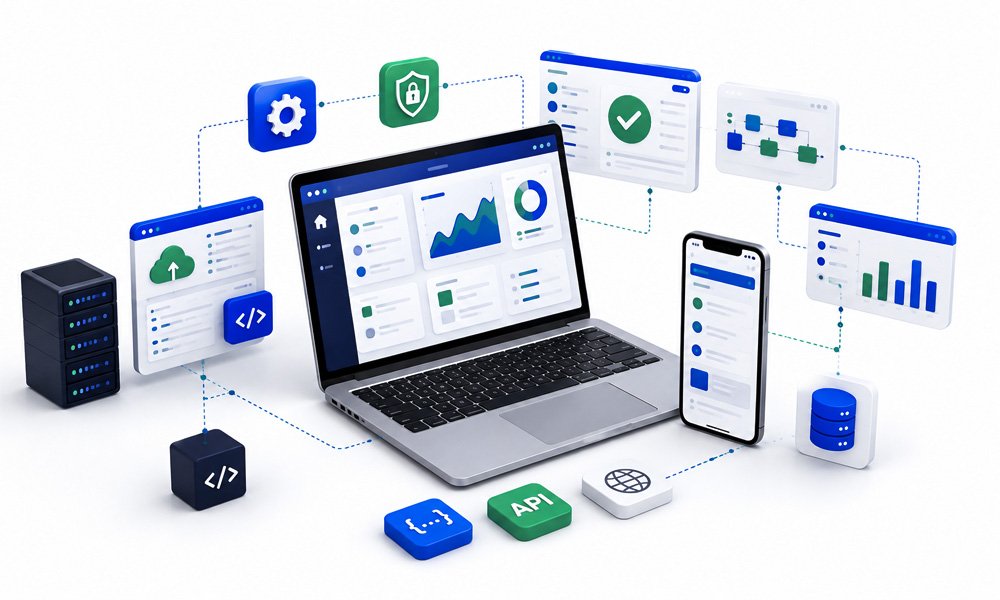
Build Responsive Web Applications Around Real Business Needs
A web application should do more than work in a browser. It should help users complete tasks efficiently, connect with the systems your business already relies on, manage data securely, perform consistently across supported devices, and adapt as business requirements change.
HexaLearn provides web application development services for organizations that need purpose-built, browser-based solutions aligned with specific business processes and user requirements.
We design and develop custom web applications by bringing together user experience design, frontend development, backend engineering, API development, database integration, quality assurance, security considerations, deployment, and ongoing maintenance.
Our approach starts with understanding what the application actually needs to accomplish.
Who will use it? What actions will they perform? Which workflows need to be simplified? What information will the application process? Which existing systems must it connect with?
How should access differ between users? What happens as traffic, users, or data volumes increase?
Answering these questions helps us define an application around real requirements rather than simply assembling features.
Whether you need an internal business application, customer-facing platform, partner portal, administrative dashboard, workflow application, data-driven system, or specialized enterprise web solution, HexaLearn can support the web application lifecycle from initial requirements through deployment and continuous enhancement.
Why Businesses Invest in Custom Web Applications
Businesses increasingly operate through interconnected digital workflows.
Employees manage information across multiple systems. Customers expect self-service experiences. Partners require secure access to relevant resources. Managers need real-time visibility. Operational teams need applications that support processes without forcing them through unnecessary manual steps.
Standard software may address common requirements, but it can become limiting when workflows, integrations, permissions, or user experiences are specific to an organization.
Custom web applications provide businesses with the ability to develop browser-based functionality around these requirements.
A purpose-built web application can help organizations:
- Digitize manual business processes
- Centralize information and workflows
- Provide secure browser-based access
- Automate repetitive activities
- Connect multiple business systems
- Improve customer or partner self-service
- Create role-based experiences
- Build operational dashboards
- Manage business data
- Standardize processes across teams
- Support distributed workforces
- Reduce dependence on spreadsheets and disconnected tools
- Introduce functionality unavailable in standard applications
- Expand capabilities as requirements evolve
Unlike traditional desktop software that may require installation on individual devices, web applications can provide authorized users with access through supported web browsers.
However, accessibility alone does not make a web application effective.
Its value depends on how well frontend experience, backend logic, database architecture, integrations, security, performance, and testing work together.
Custom Web Application Development Services
As a web application development company, HexaLearn supports the different technical layers required to turn business requirements into reliable browser-based applications.
Our services can cover the complete development lifecycle or specific components of an existing application.
1. Custom Web Application Development
Every organization has processes that are specific to the way it operates.
A custom web application allows functionality, workflows, user roles, data structures, and integrations to be designed around those requirements.
HexaLearn develops web applications for requirements such as:
- Business process management
- Internal operational workflows
- Customer self-service
- Partner management
- Employee portals
- Administrative applications
- Reporting and dashboards
- Content management
- Training and learning platforms
- Data management
- Approval workflows
- Service request management
- Knowledge portals
- Specialized business processes
Our development process begins by identifying the application's users, workflows, functional requirements, data requirements, and connections with existing systems.
For projects that extend beyond browser-based applications into broader digital or enterprise software requirements, organizations can also explore our custom software development services.
This separation allows the web application engagement to remain focused specifically on browser-based systems while the broader custom software service addresses wider software development requirements.
2. Frontend Web Application Development
The frontend is the part of a web application users directly interact with.
It determines how information is presented, how users navigate between functions, how efficiently they complete tasks, and how the application responds across different screen sizes.
Effective frontend development requires more than making an interface visually attractive.
The interface needs to support actual workflows.
Our frontend development approach focuses on:
- Responsive interfaces
- Clear navigation
- Structured information hierarchy
- Interactive application components
- Forms and data entry
- Dashboards
- Search and filtering
- Data visualization
- Validation and user feedback
- Loading and error states
- Role-specific interfaces
- Reusable UI components
- Cross-browser behavior
- Accessibility considerations
- Consistent visual patterns
Where appropriate, frontend architecture can use reusable components to improve interface consistency and make future application updates easier to manage.
The frontend also needs to communicate efficiently with backend services and APIs so users receive appropriate information without unnecessary complexity.
3. Backend Web Application Development
While users interact with the frontend, much of a web application's functionality is managed behind the interface.
The backend processes requests, applies business rules, communicates with databases, manages permissions, connects with external services, and returns information to the frontend.
Backend requirements vary considerably depending on the application.
Development may include:
- Server-side application logic
- Business rules
- Authentication workflows
- Authorization
- User and role management
- Data processing
- API development
- Database communication
- File management
- Notification logic
- Workflow processing
- Reporting logic
- Integration services
- Administrative functionality
- Error handling
- Logging
Backend architecture should reflect the application's functional requirements, security considerations, expected usage, and future expansion needs.
For example, an internal workflow application used by a small operational team has different architecture and performance requirements from a customer-facing application processing high volumes of concurrent requests.
Our objective is to align backend design with the actual application rather than introduce unnecessary complexity.
4. Responsive Web Application Design
Users may access web applications from desktop computers, laptops, tablets, or smartphones depending on the business scenario.
Responsive development helps the interface adapt appropriately across supported screen sizes.
This requires more than reducing the size of desktop pages.
Navigation, tables, forms, buttons, dashboards, menus, and interactive elements may need to behave differently depending on available screen space.
Responsive web application development considers:
- Flexible layouts
- Navigation behavior
- Touch-friendly interactions
- Form usability
- Table presentation
- Dashboard layouts
- Typography
- Images and media
- Modal windows
- Menus
- Interactive controls
- Content prioritization
Not every complex enterprise workflow needs identical functionality on every screen size.
During planning, we identify how different user groups are likely to access the application and prioritize responsive behavior accordingly.
The result is an interface designed around practical usage rather than simply shrinking desktop layouts.
5. UI/UX Design for Web Applications
Good user experience reduces friction between users and the tasks they need to complete.
For business applications, usability can directly affect adoption, productivity, data quality, and operational efficiency.
Our UI/UX process can include:
User Flow Mapping
Understanding how different users move through the application to complete specific tasks.
Information Architecture
Structuring content, functions, menus, and data so users can find what they need efficiently.
Wireframing
Creating early representations of screens and workflows before detailed visual design and development.
Interface Design
Defining the visual language, layout, controls, typography, component behavior, and interface hierarchy.
Interactive Prototyping
Where appropriate, prototypes allow stakeholders to review important workflows before development.
Responsive Planning
Considering how interfaces and interactions behave across supported devices and screen sizes.
UI/UX validation early in the project can help identify workflow problems before they become embedded in code.
For projects focused primarily on customer-facing websites or portal experiences, HexaLearn's portal and website development services can support those requirements separately from application-focused development.
6. API Development & Integration
A modern web application often needs to exchange information with other systems.
APIs provide structured ways for applications and services to communicate.
Depending on the project, HexaLearn can support API development and integration requirements involving:
- Internal business systems
- Third-party applications
- CRM platforms
- Learning Management Systems
- Authentication providers
- Payment gateways
- Analytics tools
- Communication platforms
- Cloud services
- Databases
- Existing enterprise applications
- Other web services
API integration begins by understanding the data exchange requirements.
Important questions include:
- What information needs to be exchanged?
- Which system is the source of truth?
- When should information be synchronized?
- Is communication real-time or scheduled?
- Which users or systems are authorized?
- What happens if the external service is unavailable?
- How should failed requests be handled?
- What information should be logged?
- Are there API usage limits?
- What security controls are required?
By addressing these questions during architecture and development, integrations become part of the application's workflow rather than isolated technical connections.
For learning-focused applications that need to connect with Learning Management Systems, organizations can also explore HexaLearn's LMS development and integration capabilities.
7. Database Design & Integration
Most business web applications depend on data.
The way that information is structured, stored, accessed, updated, and related can affect application reliability and performance.
Database planning therefore needs to reflect how the application actually uses information.
Depending on requirements, database work may include:
- Data model planning
- Database schema design
- User data
- Transactional data
- Application configuration
- Relationship mapping
- Search requirements
- Data validation
- Query optimization
- Existing database integration
- Data migration planning
- Reporting requirements
- Access considerations
A workflow application, for example, may need to track users, requests, approvals, comments, status changes, documents, and timestamps while preserving relationships between them.
A customer portal may need to retrieve information from existing business systems rather than become the primary database.
Understanding these distinctions during planning helps establish clearer data responsibilities.
Database architecture should also consider expected data growth and application usage so that the structure can continue to support the application as requirements expand.
8. Secure Web Application Development
Web applications can process sensitive business information, customer data, user credentials, internal documentation, and operational records.
Security therefore needs to be considered throughout development rather than being treated only as a pre-launch test.
The exact controls required depend on the application's purpose, data, integrations, users, hosting environment, and organizational policies.
Security considerations may include:
Authentication
Establishing how users verify their identity.
Authorization
Determining which functions and information each authenticated user can access.
Role-Based Access
Restricting application functionality according to defined roles and responsibilities.
Input Validation
Validating information submitted through forms, APIs, and other application inputs.
Session Management
Managing authenticated user sessions according to application requirements.
Secure API Communication
Protecting communication between the web application and connected services.
Data Protection
Applying appropriate measures for information handled by the application according to agreed requirements.
Error Handling
Preventing application errors from unnecessarily exposing sensitive technical information.
Logging
Maintaining appropriate application logs for troubleshooting and operational visibility.
Dependency Management
Reviewing and maintaining application dependencies as the software evolves.
Configuration Management
Separating sensitive configuration information from application code and managing environment-specific settings appropriately.
Security requirements should be identified during discovery so that they can influence architecture, development, testing, and deployment.
9. Web Application Testing & Quality Assurance
A web application may contain multiple user roles, workflows, integrations, forms, devices, browsers, APIs, and database interactions.
Testing needs to account for how these components behave together.
HexaLearn's web application QA approach can include:
Functional Testing
Validating application features against documented requirements.
Examples include:
- Login and authentication
- User registration
- Form submission
- Search
- Filtering
- Workflow actions
- Approvals
- User permissions
- Reports
- Notifications
- Administrative functions
UI Testing
Checking interface elements for consistency and expected behavior.
Responsive Testing
Reviewing layouts and interactions across supported screen sizes and devices.
Cross-Browser Testing
Validating functionality in the browsers identified for project support.
API Testing
Checking requests, responses, validation, errors, authentication, and integration behavior.
Database Validation
Confirming that application actions store, update, retrieve, and display information appropriately.
Integration Testing
Testing workflows that depend on third-party or internal systems.
Regression Testing
Rechecking existing functionality after new features, changes, or fixes.
User Acceptance Testing Support
Supporting business stakeholders as they validate important workflows before production release.
For organizations requiring broader testing support beyond a single web application project, our QA and software testing services can provide additional testing capabilities.
10. Web Application Deployment
Moving a web application into production requires coordination across application code, databases, environments, integrations, configuration, and infrastructure.
Deployment support can include:
- Development environment configuration
- Staging environment setup
- Production configuration
- Database deployment
- Application configuration
- Integration configuration
- Release preparation
- Deployment validation
- Production checks
- Issue resolution
- Release documentation
Where appropriate, a staging environment allows stakeholders and QA teams to validate the application in an environment closer to production before release.
Deployment strategies should reflect the complexity and operational importance of the application.
A phased release may be appropriate when an application contains multiple modules or user groups, while a smaller application may support a more direct deployment approach.
11. Web Application Maintenance & Support
Launching a web application is not the end of its lifecycle.
Browsers change. Dependencies are updated. Business workflows evolve. APIs change. Users identify new requirements. New modules may become necessary.
Ongoing maintenance helps the application continue to support its intended users and business processes.
Maintenance requirements may include:
- Bug resolution
- Application updates
- Feature enhancements
- Interface improvements
- Integration updates
- API changes
- Database improvements
- Browser compatibility updates
- Performance improvements
- Security-related updates
- Dependency updates
- Workflow changes
- New reports
- Additional modules
- Technical troubleshooting
Support can be structured according to the needs and maturity of the application.
For applications expected to evolve continuously, maintenance can be incorporated into a longer-term development roadmap rather than managed solely through isolated fixes.
Developing Web Applications for Scalability
A web application that supports current requirements should also be designed with reasonable future growth in mind.
Growth may involve:
- More users
- Higher concurrent traffic
- Larger databases
- More transactions
- Additional business units
- New user roles
- More complex reports
- Additional APIs
- New modules
- Expanded workflows
- Geographic expansion
Scalability does not mean building maximum infrastructure from the first day.
Doing so can introduce unnecessary complexity and cost.
Instead, architecture should reflect current requirements while identifying likely areas of future growth.
Depending on the application, this can influence:
- Application architecture
- Database structure
- API design
- Caching strategies
- Background processing
- Infrastructure decisions
- File storage
- Session management
- Application monitoring
- Deployment approach
This provides a clearer path for expansion as usage and requirements increase.
Web Application Performance Matters
Users expect web applications to respond efficiently.
Slow pages, delayed searches, unresponsive dashboards, or inefficient data processing can make otherwise useful software frustrating to use.
Performance considerations can therefore be incorporated throughout application development.
Areas that may affect performance include:
- Frontend asset delivery
- Application requests
- API response times
- Database queries
- Large data sets
- Image and file handling
- Third-party services
- Network conditions
- Caching
- Background processes
- Application architecture
Performance requirements should be defined according to the application's purpose rather than relying on arbitrary targets.
An internal reporting application processing large datasets has different performance characteristics from a customer-facing self-service portal.
By identifying important workflows early, development and testing can focus on the interactions that matter most to users.
Technologies We Use
HexaLearn uses modern web technologies to develop responsive, interactive, and data-driven web applications.
Depending on the project requirements, our technology stack can include:
- HTML
- CSS
- JavaScript
- TypeScript
- React.js
- Next.js
- Node.js
- PHP
- Laravel
- MySQL
- MongoDB
- Tailwind CSS
- Vite
Types of Web Applications We Can Develop
Web application requirements vary significantly between organizations.
HexaLearn's development capabilities can support applications such as:
Business Process Web Applications
Digitize operational workflows that would otherwise rely on emails, spreadsheets, documents, or disconnected tools.
Potential functionality can include:
- Requests
- Approvals
- Task assignment
- Status tracking
- Documentation
- Notifications
- Reporting
- Role-based access
Customer Self-Service Applications
Provide customers with secure access to information, services, requests, resources, or account-related functionality through a browser.
Partner & Vendor Applications
Support communication, documentation, workflows, resources, requests, or information exchange between an organization and external partners.
Employee Web Applications
Centralize internal tools, resources, processes, requests, and information in applications designed around employee workflows.
Administrative Dashboards
Give administrators centralized control over users, application data, workflows, settings, reports, or content.
Data & Reporting Applications
Bring relevant business information into searchable, filterable, and structured interfaces for operational or management use.
Workflow Management Applications
Create structured digital workflows around multi-stage processes, approvals, responsibilities, and status changes.
Learning & Training Web Applications
Support training delivery, learning administration, assessments, content access, reporting, or integrations with existing learning systems.
For organizations requiring a dedicated learning management environment, HexaLearn also provides Moodle LMS development and customization.
Frontend and Backend Working as One Application
A common mistake in web application planning is treating frontend and backend development as independent activities.
Users experience them as one system.
When a user searches, submits a form, opens a dashboard, updates a record, or approves a request, several components may work together:
User Interface → Frontend Logic → API → Backend Logic → Database → Response → Interface Update
Each layer needs to support the same business workflow.
For example, consider an approval application.
The frontend may display a request form.
The backend validates the information.
The database stores the request.
Business logic determines the appropriate approver.
A notification service alerts that person.
Role-based permissions determine whether they can approve the request.
The database records the decision.
The frontend then displays the updated status.
A weakness in any one of these components affects the complete user experience.
Our web application development approach therefore considers the application as a connected system rather than a collection of isolated screens and services.
Our Web Application Development Process
A structured development process helps connect business requirements with design, engineering, testing, and deployment.
Phase 1: Business & Application Discovery
We begin by understanding:
- Business objectives
- Application users
- Existing workflows
- Current challenges
- Functional requirements
- Existing systems
- Data requirements
- Integration needs
- Security considerations
- Expected usage
- Future requirements
The goal is to understand what the application must accomplish before deciding how it should be built.
Phase 2: Requirements & Functional Planning
Requirements are organized into functional areas, workflows, user roles, and priorities.
For larger applications, functionality can be separated into releases or development phases.
Phase 3: Architecture & Data Planning
Technical planning establishes how the frontend, backend, APIs, databases, integrations, and other components will work together.
Phase 4: UI/UX Design
User journeys, wireframes, interfaces, and responsive behavior are defined around the application's workflows.
Phase 5: Frontend Development
Approved designs are transformed into responsive application interfaces and interactive components.
Phase 6: Backend & Database Development
Server-side logic, workflows, APIs, databases, user management, and business rules are implemented according to project requirements.
Phase 7: Integration
The application is connected with required internal or third-party systems.
Phase 8: Testing & QA
Features, interfaces, integrations, permissions, workflows, and supported environments are tested against agreed requirements.
Phase 9: Stakeholder Validation
Relevant stakeholders review the application and validate important business workflows.
Phase 10: Deployment
The approved application is prepared for production release.
Phase 11: Maintenance & Enhancement
After launch, the application can continue to evolve through updates, fixes, integrations, improvements, and new functionality.
Existing Web Application Modernization
Organizations may already have web applications that perform important business functions but no longer meet current expectations.
Common challenges can include:
- Outdated interfaces
- Poor mobile usability
- Difficult navigation
- Slow workflows
- Limited integrations
- Legacy components
- Increasing maintenance complexity
- Missing functionality
- Browser compatibility issues
- Performance limitations
Replacing an entire application is not always necessary.
Depending on the existing architecture, modernization may involve:
- UI/UX redesign
- Responsive frontend redevelopment
- Backend improvements
- API development
- Database changes
- New integrations
- Workflow improvements
- Feature enhancements
- Performance improvements
- Security-related updates
- Module-by-module redevelopment
The appropriate modernization strategy depends on the condition of the existing application and the business value of retaining different components.
Web Applications vs. Websites: Understanding the Difference
Websites and web applications can both run in a browser, but their primary purposes are often different.
A website is generally focused on presenting information and guiding visitors through content.
A web application typically enables users to perform more complex tasks, interact with data, complete workflows, manage accounts, generate reports, submit requests, or access personalized functionality.
For example:
A corporate marketing website may explain services and provide contact forms.
A web application may allow customers to log in, manage information, submit requests, track progress, access reports, or perform business transactions.
Many digital platforms contain elements of both.
The appropriate development approach depends on the level of functionality, data interaction, user roles, integrations, and business logic required.
If your primary requirement is a corporate website, content platform, or digital portal, our portal and website development services may be a more appropriate starting point.
Why Choose HexaLearn for Web Application Development?
Choosing a web application development partner requires more than evaluating who can write frontend and backend code.
The development team needs to understand how user experience, workflows, application logic, databases, APIs, testing, security, and ongoing maintenance connect.
Business-Focused Requirements
We begin by understanding the business process the web application needs to support.
Frontend & Backend Development
Our approach covers both the user-facing experience and the server-side functionality required to make the application work.
Integration Capabilities
Web applications can be designed to connect with relevant internal systems, third-party platforms, databases, and APIs according to project requirements.
Responsive Design
Interfaces are planned around the devices and screen sizes relevant to the application's users.
Structured Quality Assurance
Testing is incorporated throughout development to validate functionality, integrations, interfaces, and workflows.
Security Considerations
Security requirements are identified and incorporated according to the application's purpose, data, users, and technology environment.
Scalability Planning
Architecture considers realistic future growth rather than focusing only on immediate requirements.
Post-Launch Support
Applications can continue to evolve through maintenance, updates, integrations, and new functionality.
Web Application Development Across Industries
Browser-based applications can support business processes across different industries.
Corporate Learning & Education
Web applications can support training administration, learner experiences, assessments, content access, reporting, and learning workflows.
For organizations that need custom digital training content alongside their application, our custom eLearning development services can complement learning-platform requirements.
Healthcare & Life Sciences
Potential applications include internal workflow systems, administrative portals, reporting applications, training platforms, and other browser-based tools developed around defined organizational requirements.
Banking & Financial Services
Web applications can support internal processes, approvals, administrative workflows, reporting, customer-facing functionality, and other business requirements.
Manufacturing
Browser-based systems can support operational workflows, reporting, internal processes, employee applications, dashboards, and training environments.
Retail & E-Commerce
Web applications can support administrative operations, customer services, reporting, workflows, portals, and integrations with other business platforms.
Technology Companies
Applications may include customer platforms, internal tools, product interfaces, dashboards, administration systems, and specialized SaaS functionality.
Professional Services
Custom web applications can support client portals, project workflows, document processes, reporting, administrative functions, and internal operations.
Every application is planned around the specific workflow and technical environment rather than relying on a generic industry template.
Engagement Models for Web Application Development
Different web application projects require different levels of flexibility.
Fixed-Scope Development
Appropriate when functionality, workflows, deliverables, and acceptance criteria can be clearly defined before development begins.
Time & Material
Suitable for applications where requirements are expected to evolve based on user feedback, changing priorities, or technical discoveries.
Dedicated Development Support
Useful for organizations that require continuous frontend, backend, QA, or enhancement capabilities for an existing web application.
Phased Development
Complex applications can be divided into releases.
An initial version can focus on high-priority workflows, followed by additional features and modules according to the product roadmap.
The engagement structure can be determined after requirements and project complexity are understood.
Frequently Asked Questions
1. What is web application development?
Web application development is the process of designing, developing, integrating, testing, deploying, and maintaining software applications that users access through web browsers. These applications can support workflows, data management, customer services, reporting, administration, and other interactive business functions.
2. What types of web applications does HexaLearn develop?
HexaLearn can develop custom business applications, internal workflow systems, customer and partner portals, dashboards, administrative applications, data-driven systems, Time-sheet, Intranet, learning applications, and other browser-based solutions based on defined project requirements.
3. Do you provide both frontend and backend development?
Yes. Web application projects can include frontend interface development as well as backend business logic, APIs, databases, authentication, integrations, and other server-side requirements.
4. Can you build responsive web applications?
Yes. Responsive behavior can be incorporated according to the devices and screen sizes relevant to the application's users, including desktops, laptops, tablets, and smartphones.
5. Can you integrate our web application with existing software?
Yes. Depending on the capabilities of the systems involved, applications can integrate with existing databases, internal systems, APIs, authentication providers, learning systems, communication services, and third-party platforms.
6. Do you develop APIs?
Yes. API development can be included where the web application needs to expose functionality or exchange information with other applications and services.
7. Can you work with an existing database?
Existing database integration may be possible depending on its architecture, access, technology, data structure, and project requirements. These factors are evaluated during discovery and technical planning.
8. How do you secure web applications?
Security requirements depend on the application, but considerations may include authentication, authorization, role-based access, input validation, secure API communication, session management, dependency management, application configuration, and appropriate data protection measures.
9. How do you test web applications?
Testing may include functional, UI, responsive, browser, API, integration, database, regression, and stakeholder acceptance testing depending on project requirements.
10. Can HexaLearn modernize an existing web application?
Yes. Depending on the application's current architecture, modernization may include UI/UX redesign, responsive redevelopment, backend improvements, new integrations, API development, database changes, feature enhancements, or phased redevelopment.
11. Do you provide maintenance after launch?
Yes. Ongoing support can include bug fixes, updates, feature development, integration changes, compatibility improvements, performance enhancements, security-related updates, and application evolution.
12. Can our web application be expanded later?
Yes. Scalability and future functionality can be considered during architecture so that additional users, modules, workflows, data, and integrations can be supported as requirements evolve.
13. What is the difference between web application development and custom software development?
Web application development specifically focuses on applications accessed through web browsers, including their frontend, backend, APIs, databases, responsive interfaces, and web-based integrations. Custom software development is broader and can cover a wider range of software products and technology environments.
14. How do we start a web application project with HexaLearn?
The first step is discussing the business problem, intended users, workflows, required functionality, existing systems, integrations, security requirements, and expected outcomes. These requirements help determine the appropriate architecture, development scope, and engagement model.
Ready to Build Your Web Application?
A successful web application connects user experience, business logic, data, integrations, security, and performance into one reliable digital experience.
Whether you need to replace spreadsheet-based processes, create a customer-facing application, build an internal workflow system, develop a partner portal, modernize an existing platform, or introduce a new browser-based product, HexaLearn can help transform your requirements into a structured web application.
Our web application development services can support the complete lifecycle:
Discovery → UI/UX → Frontend → Backend → APIs → Database → Integration → Testing → Deployment → Maintenance
Build a responsive, scalable, and business-focused web application designed around the people and processes that will actually use it.
Talk to Our Web Application Development Team
Schedule a demo with our eLearning experts.